

Post Detail
BackAxon ERP Official
12 weeks ago
Why Better Quotation Management Turns More Inquiries Into Sales
Every sales opportunity begins with a conversation, but not every conversation becomes a customer.
A potential customer requests pricing. Your sales team prepares a quotation, sends it by email, and waits for a response. A few days later, the customer asks for revisions. Another salesperson creates a second quotation because they cannot find the first one. Finance receives different pricing, warehouse confirms stock based on outdated information, and eventually the customer loses confidence before placing the order.
These situations are common in businesses that still manage quotations through spreadsheets, Word documents, emails, or disconnected software. As inquiries increase, quotations become difficult to track, approvals become slower, and sales teams spend more time searching for documents than closing deals.
A quotation is not just a price list. It is the first formal business document that connects a customer with the complete sales process. If quotation management is disorganized, every stage that follows becomes more difficult.
Axon ERP solves this challenge through its centralized Sales Management System, where quotations are created using existing customer records, inventory items, payment terms, warehouses, and financial information already stored inside the system. Instead of preparing quotations manually every time, businesses generate professional quotations using standardized information that remains connected throughout the sales lifecycle.
Because every quotation is linked with the customer created in the Business Contact Management module, sales teams no longer need to re-enter customer information. The same customer profile, payment terms, order booker, warehouse selection, and product information are reused automatically, improving both speed and accuracy while reducing duplicate work.
What Is Quotation Management in ERP Software?
Quotation Management is the process of creating, managing, tracking, approving, and converting customer quotations within a centralized ERP system.
Rather than preparing quotations separately in spreadsheets or office documents, ERP software stores every quotation in a structured database where it remains connected to the customer, products, pricing, and future sales transactions.
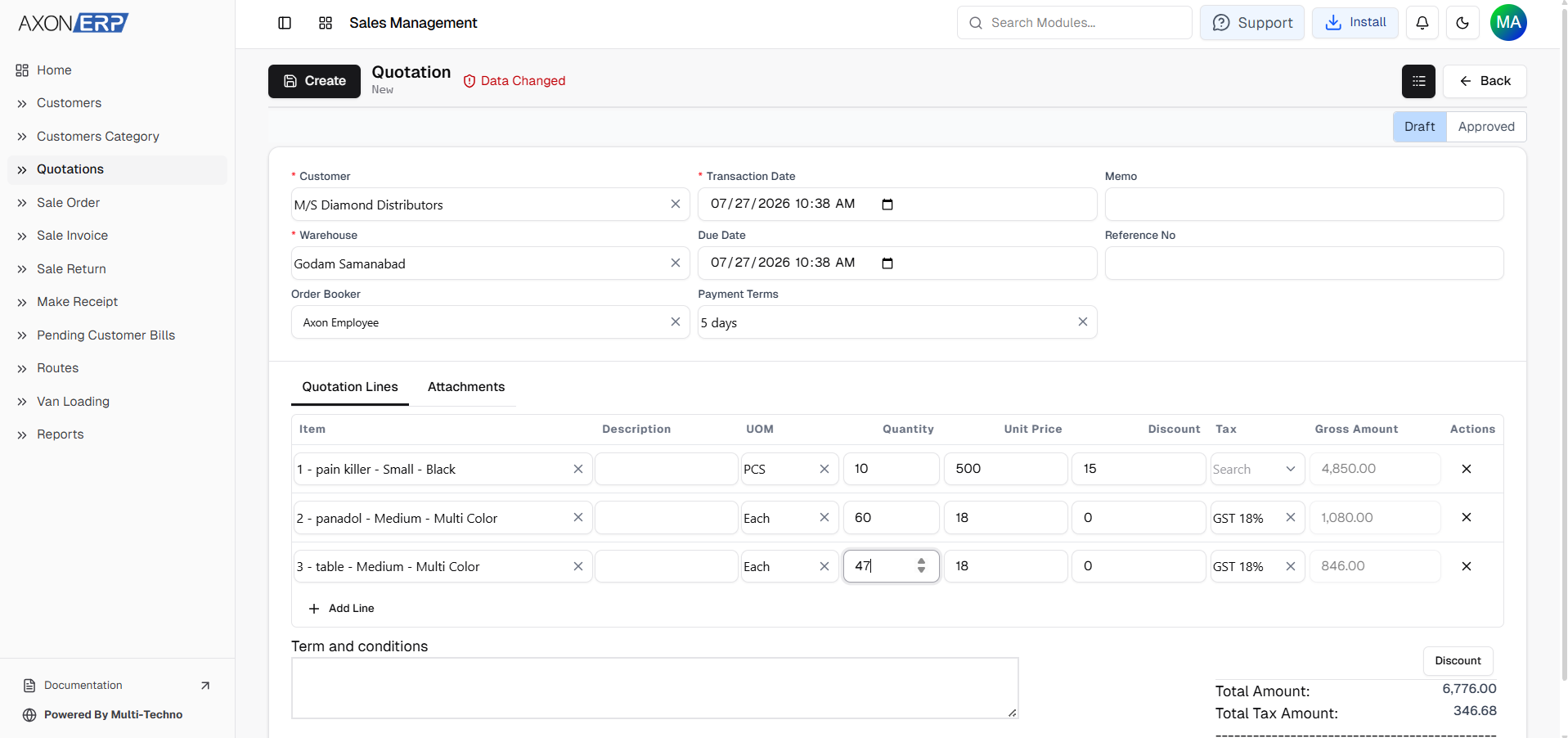
A typical quotation includes:
- Transaction Code
- Customer
- Transaction Date
- Due Date
- Warehouse
- Order Booker
- Payment Terms
- Reference Number
- Items
- Unit of Measure (UOM)
- Quantity
- Unit Price
- Discount
- Tax
- Gross Amount
- Terms & Conditions
- Attachments
- Status (Draft / Approved)
Since every quotation is maintained inside one system, businesses gain complete visibility into every customer proposal from creation to final approval.
Why Quotation Management Matters
Many businesses assume losing sales is simply part of competition.
In reality, many opportunities disappear because quotations are poorly managed.
Without a structured Quotation Management Software, businesses commonly experience:
- Delayed quotation preparation.
- Duplicate quotations for the same customer.
- Incorrect pricing.
- Missing quotation history.
- Forgotten follow-ups.
- Difficulty tracking quotation status.
- Poor coordination between sales and finance.
These issues directly affect conversion rates because customers expect quick and accurate responses.
Axon ERP eliminates these problems by storing every quotation inside a centralized database where sales teams can instantly locate previous quotations, review customer history, update pricing when necessary, and continue the sales process without creating duplicate records.
How Quotation Management Works in Axon ERP
Quotation Management in Axon ERP follows the natural sales workflow established during customer creation.
The process begins by selecting an existing customer from the centralized customer database. Since customer information has already been created inside the Customer Management module, users simply choose the customer instead of entering contact details again.
After selecting the customer, users complete the quotation by entering:
- Transaction Date
- Due Date
- Warehouse
- Payment Terms
- Order Booker
- Reference Number
- Internal Memo
Next, products are added using inventory items that already exist inside the Item Management module.
Each quotation line allows users to define:
- Item
- Description
- Unit of Measure (UOM)
- Quantity
- Unit Price
- Discount
- Tax
- Gross Amount
Users can also include Terms & Conditions and attach supporting documents such as drawings, specifications, customer requirements, or additional files directly with the quotation.
Every quotation is initially saved as Draft, allowing sales teams to review pricing before sending it to the customer.
Once everything has been verified, the quotation is changed to Approved, making it ready for the next stage of the sales process.
Because every quotation remains connected to the customer profile, businesses maintain complete visibility into customer negotiations without creating duplicate documents.
How Quotations Connect with the Sales Process
Quotation Management is one of the most important stages of the entire sales lifecycle.
Once a quotation has been created, the same quotation remains connected to every sales transaction that follows, eliminating duplicate data entry and maintaining complete transaction history.
The standard sales workflow inside Axon ERP follows this sequence:
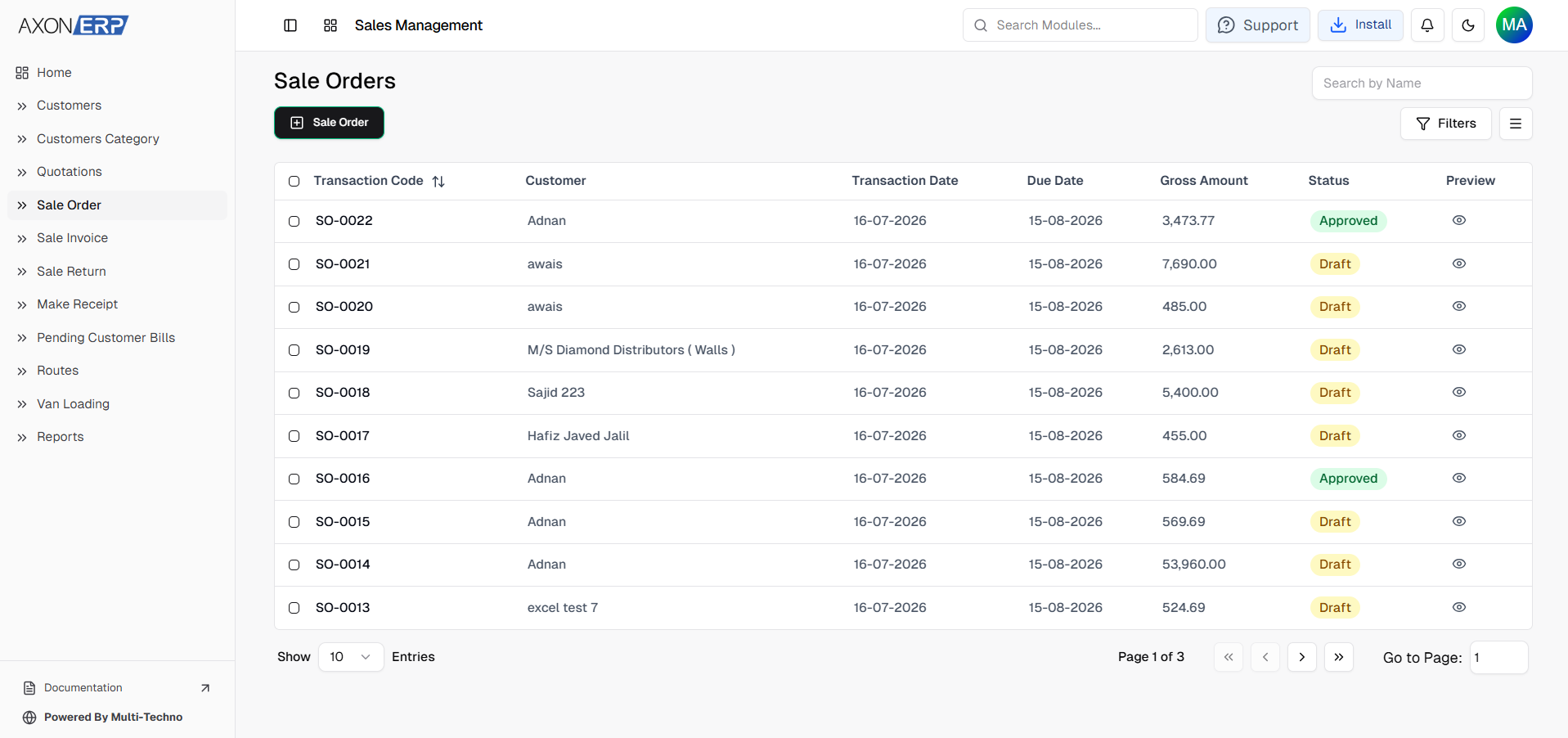
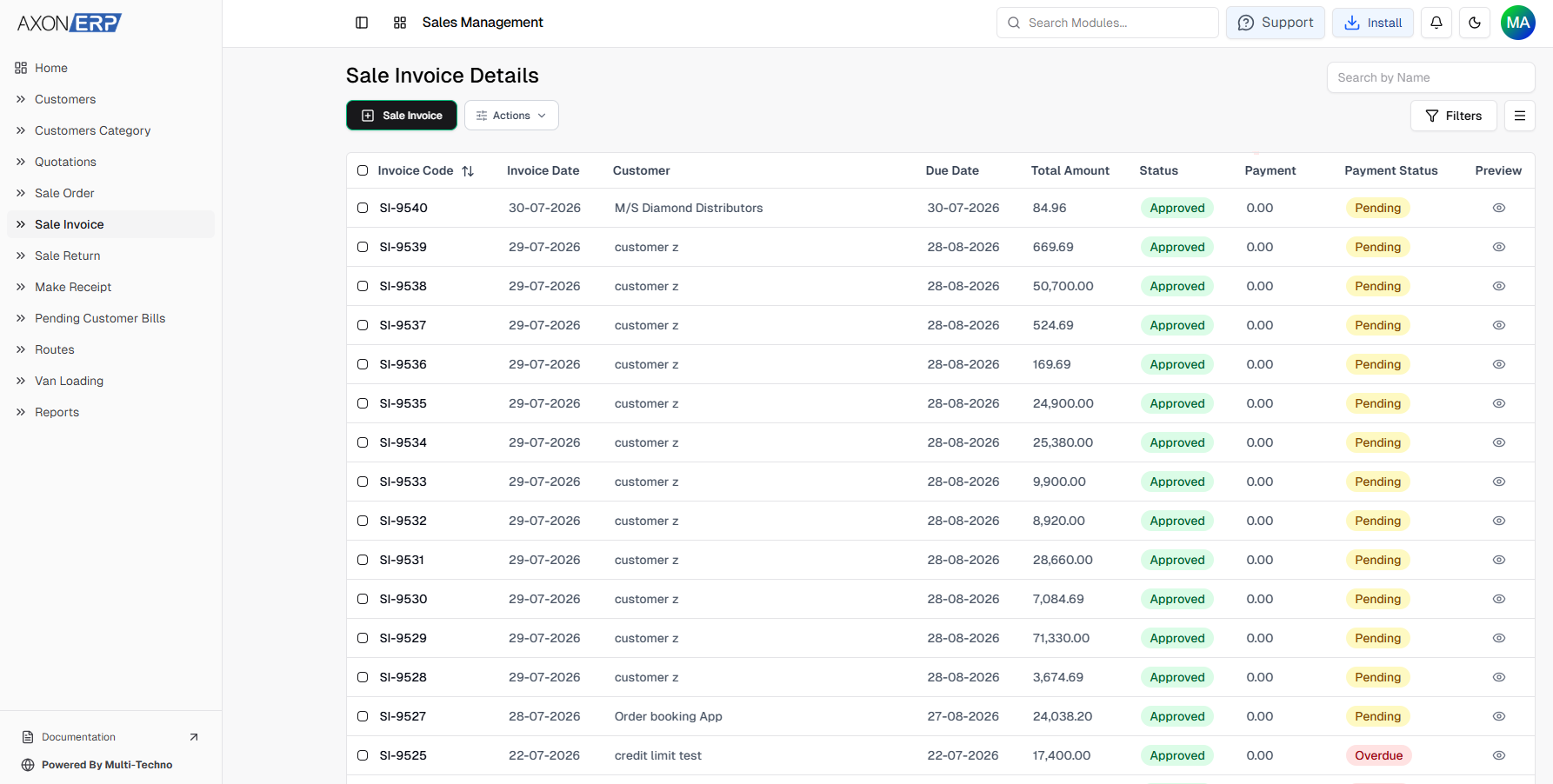
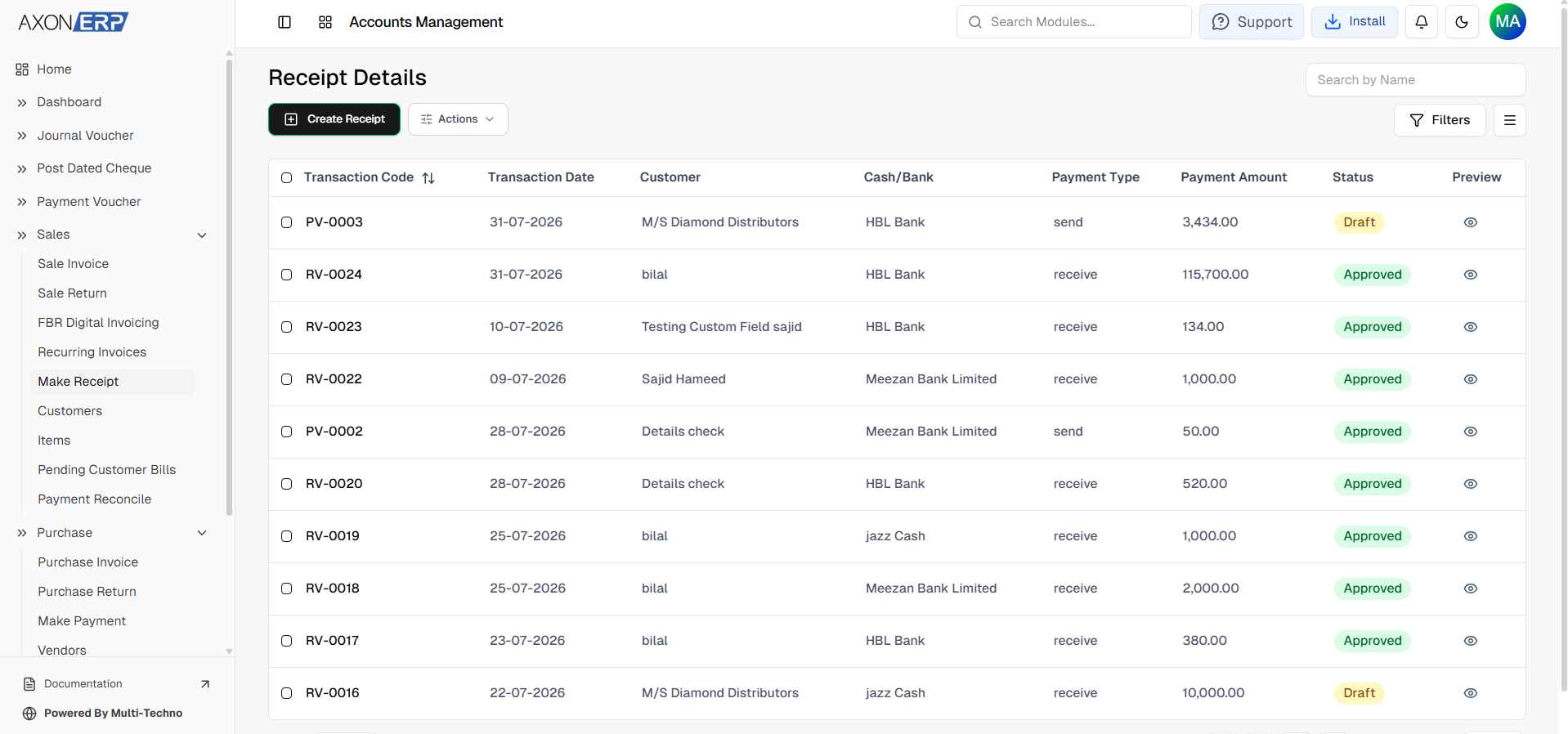
Customer Category → Customer → Quotation → Sales Order → Sales Invoice → Customer Payment
After a quotation is approved, businesses can convert it into a Sales Order without recreating customer information, product details, pricing, or financial values. This ensures that every department works with the same information throughout the sales process.
For organizations with shorter sales cycles, Axon ERP also provides the flexibility to generate a Sales Invoice directly from an approved quotation, allowing businesses to complete the transaction faster whenever a separate Sales Order is not required.
Because every document references the same quotation, businesses maintain complete visibility from the customer's initial inquiry through final payment while reducing manual work and improving sales accuracy.
Managing Quotations Safely
Quotations represent active business opportunities and often contain negotiated pricing, discounts, and customer-specific information.
Accidentally deleting or modifying quotations can create reporting issues and disrupt the sales process.
To protect business data, Axon ERP maintains quotation records throughout the sales lifecycle.
Every quotation is initially saved as Draft, allowing sales teams to review pricing, verify item quantities, confirm discounts, and make necessary changes before final approval.
Once the quotation is Approved, it becomes available for conversion into the next sales document, ensuring that approved pricing remains consistent throughout the transaction.
This structured approval process improves internal control while reducing pricing mistakes and unauthorized quotation changes.
Tracking Every Quotation from One Dashboard
Managing hundreds of quotations manually quickly becomes difficult.
Sales managers need visibility into pending quotations, accounts & finance teams require accurate transaction values, and management needs to monitor overall sales activity.
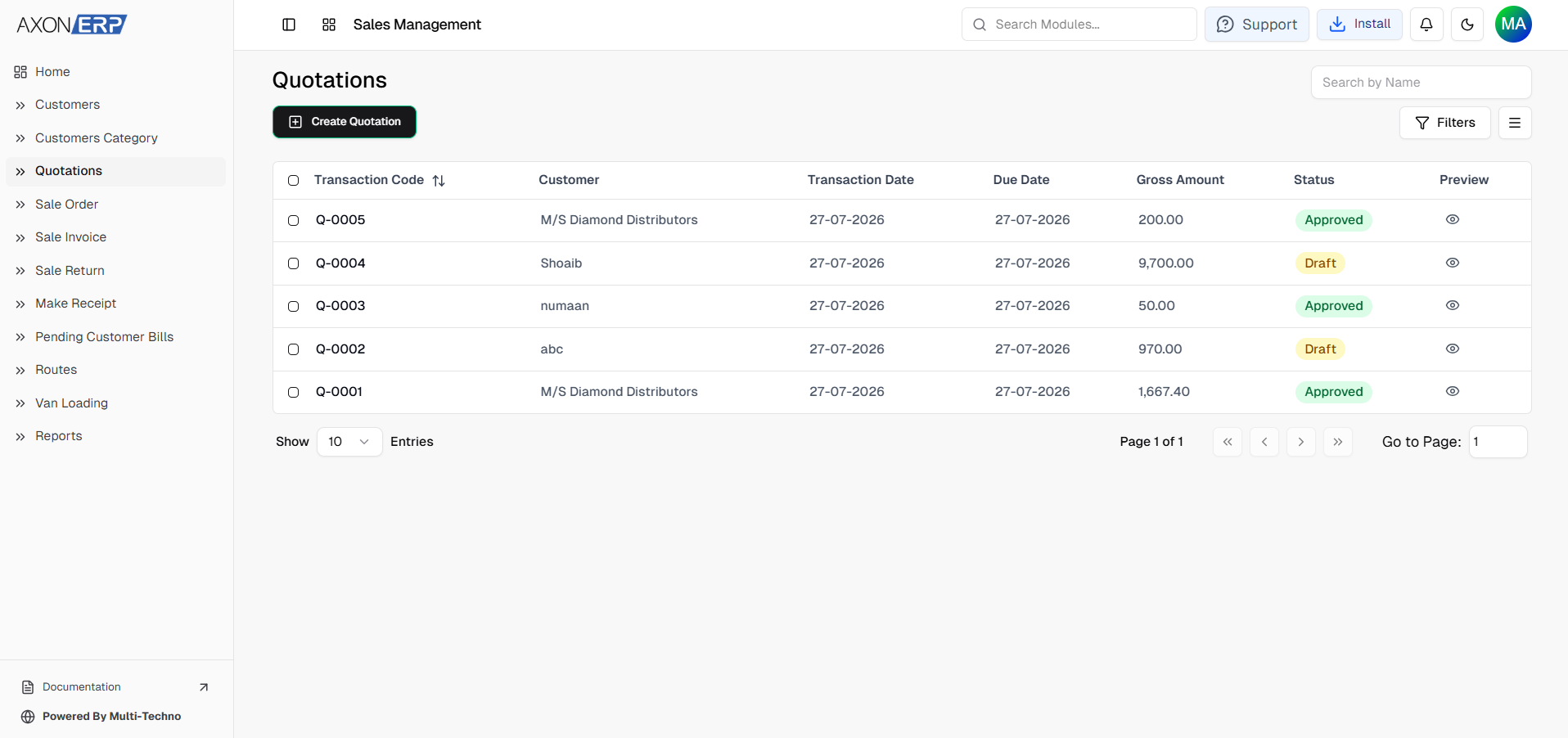
The Quotation Dashboard inside Axon ERP provides a centralized view of every quotation created within the organization.
Each quotation displays important information including:
- Transaction Code
- Customer Name
- Transaction Date
- Due Date
- Gross Amount
- Current Status
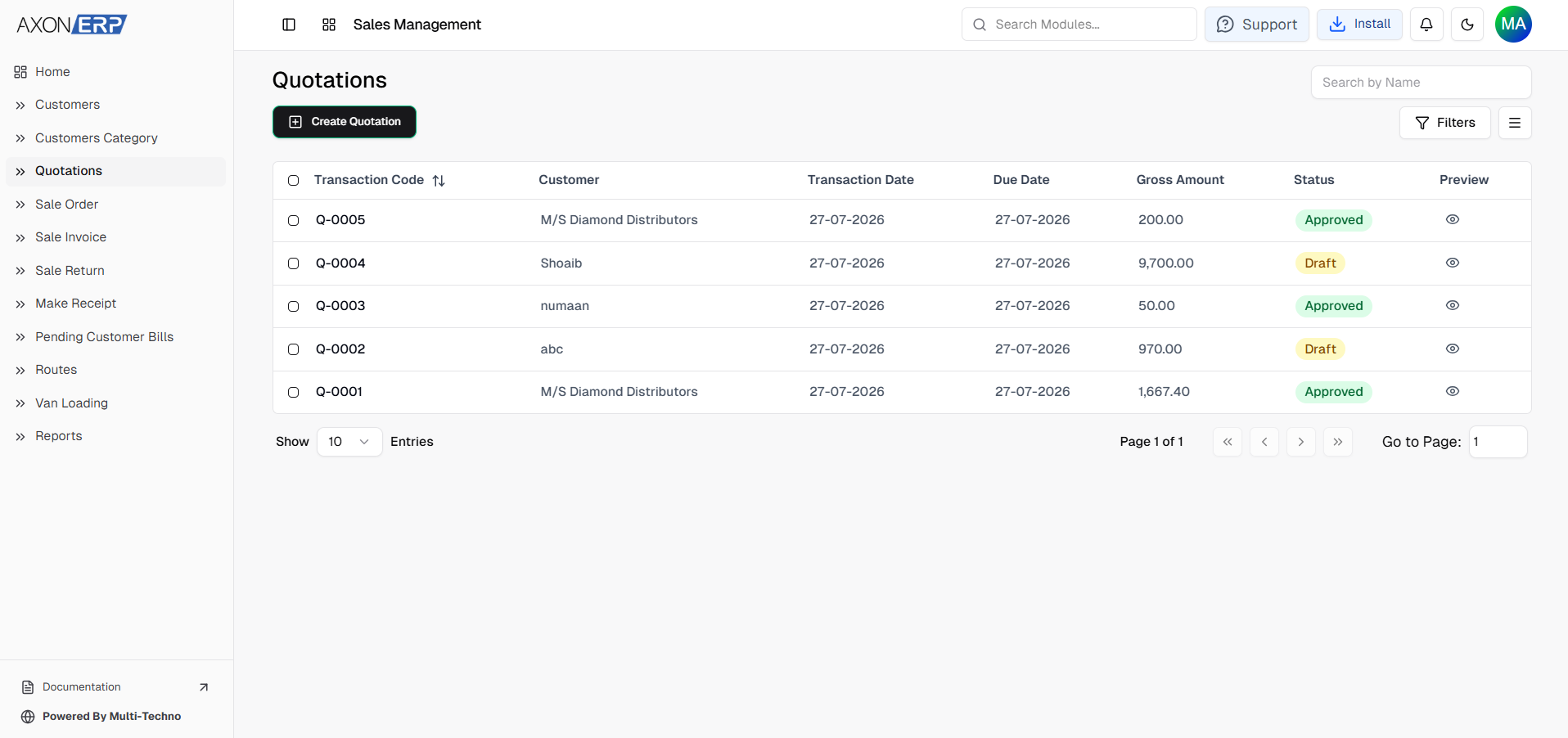
Users can instantly search quotations by customer name, apply filters to locate Draft or Approved quotations, review overdue quotations, and navigate records using built-in pagination controls.
Because every quotation receives an automatically generated Transaction Code, businesses can quickly trace customer proposals throughout the complete sales workflow.
Instead of searching through folders or email conversations, every quotation remains available from one centralized location.
Benefits of ERP-Based Quotation Management
A centralized Quotation Management System provides significant advantages for businesses handling multiple customer inquiries every day.
Instead of preparing quotations manually, Axon ERP standardizes the entire quotation process.
Faster Quotation Preparation
Customer information, inventory items, pricing, payment terms, and warehouses already exist inside the ERP system, allowing quotations to be created within minutes.
Improved Data Accuracy
Using centralized business data eliminates duplicate customer information, incorrect pricing, and inconsistent quotation records.
Better Sales Visibility
Management can easily monitor pending quotations, approved quotations, quotation values, and overall sales activity from one dashboard.
Faster Sales Conversion
Because approved quotations can continue into the sales workflow without re-entering information, businesses respond faster while reducing administrative work.
Complete Transaction History
Every quotation remains connected with its customer, inventory items, future Sales Orders, Sales Invoices, and payment transactions, providing complete visibility throughout the customer journey.
Better Team Collaboration
Sales, finance, warehouse, and management teams all work from the same quotation records, improving communication and reducing operational errors.
Best Practices for Managing Quotations
To improve quotation accuracy and sales efficiency, businesses should follow a few simple best practices:
- Create customer records before preparing quotations.
- Use standardized inventory items instead of manual descriptions.
- Verify pricing before approving quotations.
- Always review discounts and tax calculations.
- Attach supporting documents whenever required.
- Use Draft status during internal review.
- Approve quotations only after verification.
- Monitor quotation due dates regularly.
- Maintain all quotations inside a centralized ERP system instead of spreadsheets or Word documents.
Following these practices helps businesses improve quotation accuracy while increasing the likelihood of converting inquiries into confirmed sales.
Final Thoughts
A successful sales process begins long before a customer places an order. It starts with preparing accurate, professional, and well-managed quotations that build customer confidence from the very first interaction.
Without organized quotation management, businesses often struggle with duplicate records, pricing inconsistencies, missed follow-ups, delayed approvals, and poor visibility into sales opportunities.
Axon ERP simplifies Quotation Management by providing a centralized platform where every quotation is connected with customer information, inventory items, financial details, and the complete sales workflow. From creating Draft quotations to approving them and converting them into Sales Orders or directly into Sales Invoices when required, the system ensures every transaction remains accurate, traceable, and easy to manage.
As businesses continue growing, structured quotation management becomes essential for improving sales efficiency, reducing administrative work, and increasing conversion rates.
By implementing Quotation Management Software in Axon ERP, organizations create a stronger foundation for faster sales operations, better customer communication, and a more efficient sales lifecycle from inquiry to final payment.