

Post Detail
BackAxon ERP Official
12 weeks ago
Why Manual Customer Invoicing Creates Billing Delays and Payment Problems
Creating a few customer invoices every day is usually simple. But as a business grows, invoicing becomes much more complicated. Sales increase, customers multiply, products expand, and invoices start coming from different sales representatives, branches, counters, and departments.
Many growing businesses still prepare invoices manually using spreadsheets or disconnected systems. While this may work for a small number of transactions, it becomes difficult to maintain accuracy when hundreds of invoices are created every week.
Even a small mistake such as selecting the wrong customer, entering an incorrect quantity, applying the wrong price, or missing a tax calculation can create billing disputes, delay payments, affect inventory records, and increase unnecessary work for multiple departments.
The problem becomes even bigger because invoicing is not an isolated activity. Every invoice directly affects inventory, customer balances, financial records, tax reporting, and business performance. When invoice information is entered manually, employees often repeat the same work multiple times, increasing both workload and the possibility of errors.
As invoice volumes continue to grow, businesses need a centralized Customer Invoicing Software that allows every invoice to be created, approved, tracked, and managed from a single system.
Axon ERP provides a complete Sales Invoice Software solution that connects customer information, inventory, pricing, taxes, accounting, and payments within one centralized workflow. Instead of preparing invoices manually, businesses can generate accurate invoices faster while maintaining complete visibility throughout the entire billing process.
What Is Customer Invoicing Software?
Customer Invoicing Software is a centralized system used to create, manage, approve, and track customer invoices while keeping them connected with inventory, customer records, accounting, taxes, and payment information.
Instead of preparing invoices manually for every sale, businesses maintain all billing activities inside one system where each invoice follows a structured workflow from creation to payment.
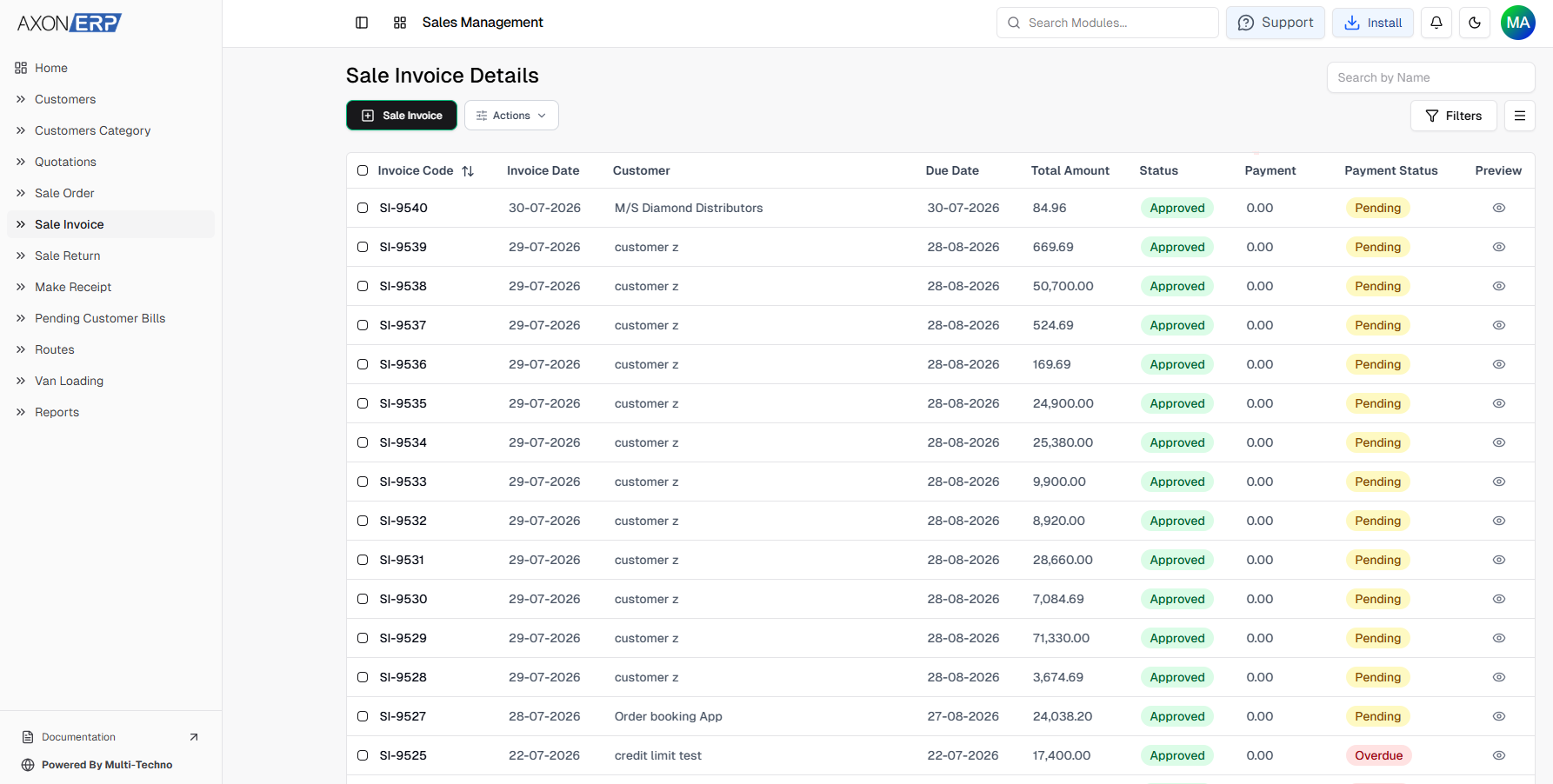
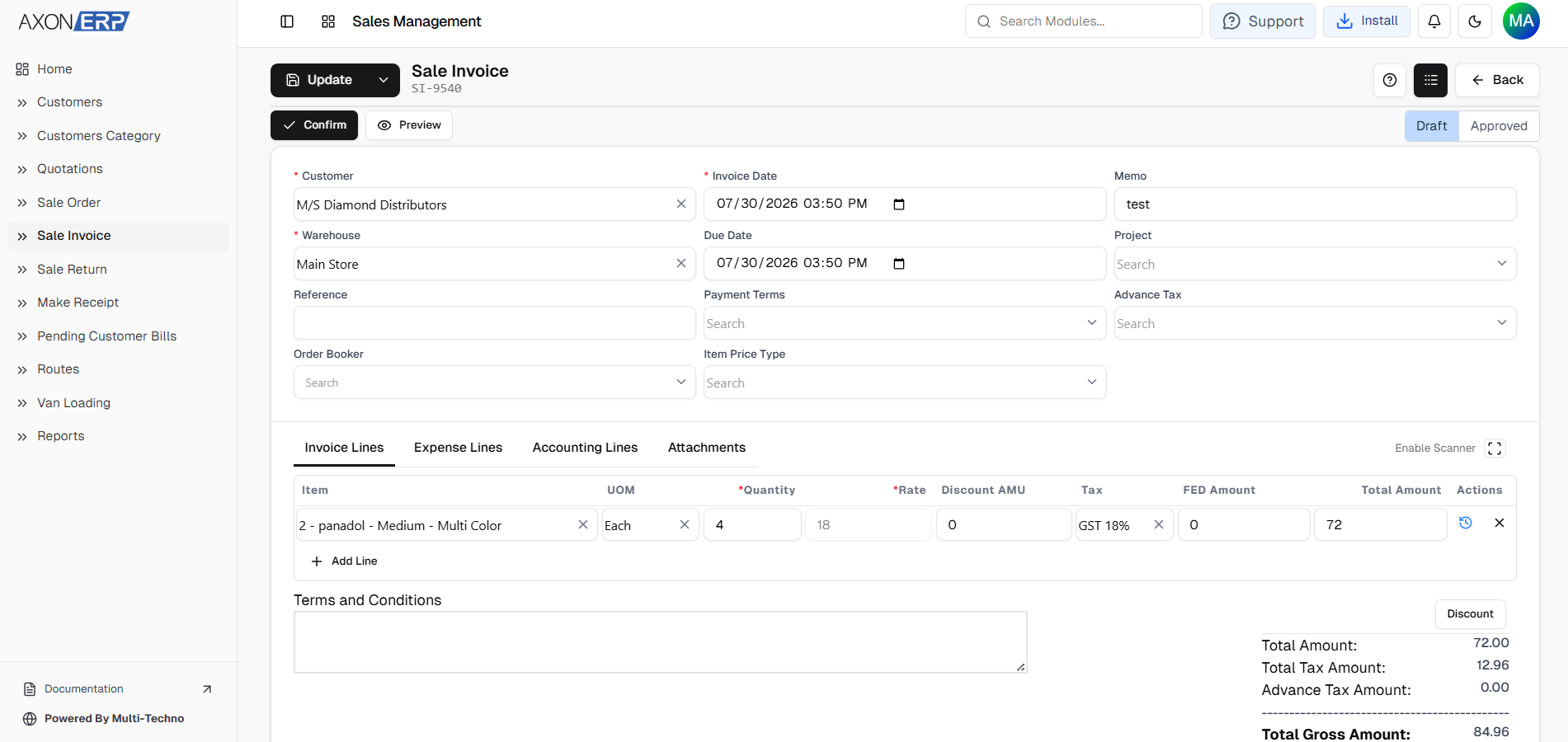
A typical Sales Invoice includes:
- Transaction Code
- Customer
- Warehouse
- Transaction Date
- Due Date
- Payment Terms
- Sales Items
- Unit of Measure (UOM)
- Quantity
- Unit Price
- Discount
- Tax
- Gross Amount
- Reference Number
- Internal Memo
- Terms & Conditions
- Attachments
- Status (Draft / Approved)
Because every invoice is stored in a centralized database, businesses can quickly search invoices, monitor billing activity, track outstanding transactions, and ensure every department works with the same accurate information.
Why Manual Customer Invoicing Creates Problems
Manual invoicing usually appears manageable in the beginning, but as businesses expand, it gradually creates operational bottlenecks that affect multiple departments.
Common problems include:
- Billing delays caused by manual data entry.
- Incorrect customer or pricing information.
- Duplicate or missing invoices.
- Tax calculation mistakes.
- Delayed payment collection.
- Inventory not updating on time.
- Difficulty tracking invoice status.
- Poor coordination between sales, warehouse, finance, and management.
These issues slow down the billing process and reduce overall business efficiency.
A centralized Invoice Management Software eliminates these challenges by allowing every invoice to follow one standardized workflow while keeping customer information, inventory, pricing, and financial records connected throughout the entire billing process.
How Customer Invoicing Works in Axon ERP
Axon ERP provides a centralized Customer Invoicing Software that helps businesses create, approve, track, and manage customer invoices from a single platform. Instead of preparing invoices manually or maintaining separate billing records, every Sales Invoice remains connected with customers, inventory, pricing, taxation, accounting, and payment information throughout the billing process.
Businesses can create a Sales Invoice directly or generate it from an approved Sales Order. When an invoice is created from a Sales Order, all customer information, products, quantities, pricing, discounts, and taxes are automatically transferred to the invoice. This eliminates duplicate data entry while maintaining consistency throughout the sales process.
If multiple deliveries are made against a single customer order, Axon ERP also allows businesses to create multiple Sales Invoices from the same approved Sales Order. Every invoice remains linked to its original order, giving complete visibility over partial deliveries and remaining quantities.
When creating a Sales Invoice, users can enter or review information such as:
- Warehouse
- Customer
- Transaction Date
- Due Date
- Payment Terms
- Reference Number
- Internal Memo
Invoice items include:
- Item
- Description
- Unit of Measure (UOM)
- Quantity
- Unit Price
- Discount
- Tax
- Gross Amount
Since products are selected directly from the centralized Item Management module, pricing, tax configuration, and inventory information are automatically retrieved. If tax has already been configured for an item, it is applied automatically during invoice creation, reducing manual calculations and improving billing accuracy.
Supporting documents can also be attached whenever additional customer information or business documentation needs to accompany the invoice.
Like other financial transactions in Axon ERP, every Sales Invoice is initially saved as Draft, allowing users to verify customer details, pricing, taxes, quantities, discounts, and invoice totals before approval.
Once the invoice is approved, it becomes a finalized business transaction. Approved invoices cannot be edited or deleted directly. If changes are required, the invoice must first be moved back to Draft status through the controlled approval process, helping businesses maintain financial accuracy and proper audit control.
Approving a Sales Invoice also updates inventory quantities, accounting records, and customer receivables automatically. Because all related modules are connected, businesses avoid duplicate entries while ensuring inventory, finance, and sales departments all work with the same real-time information.
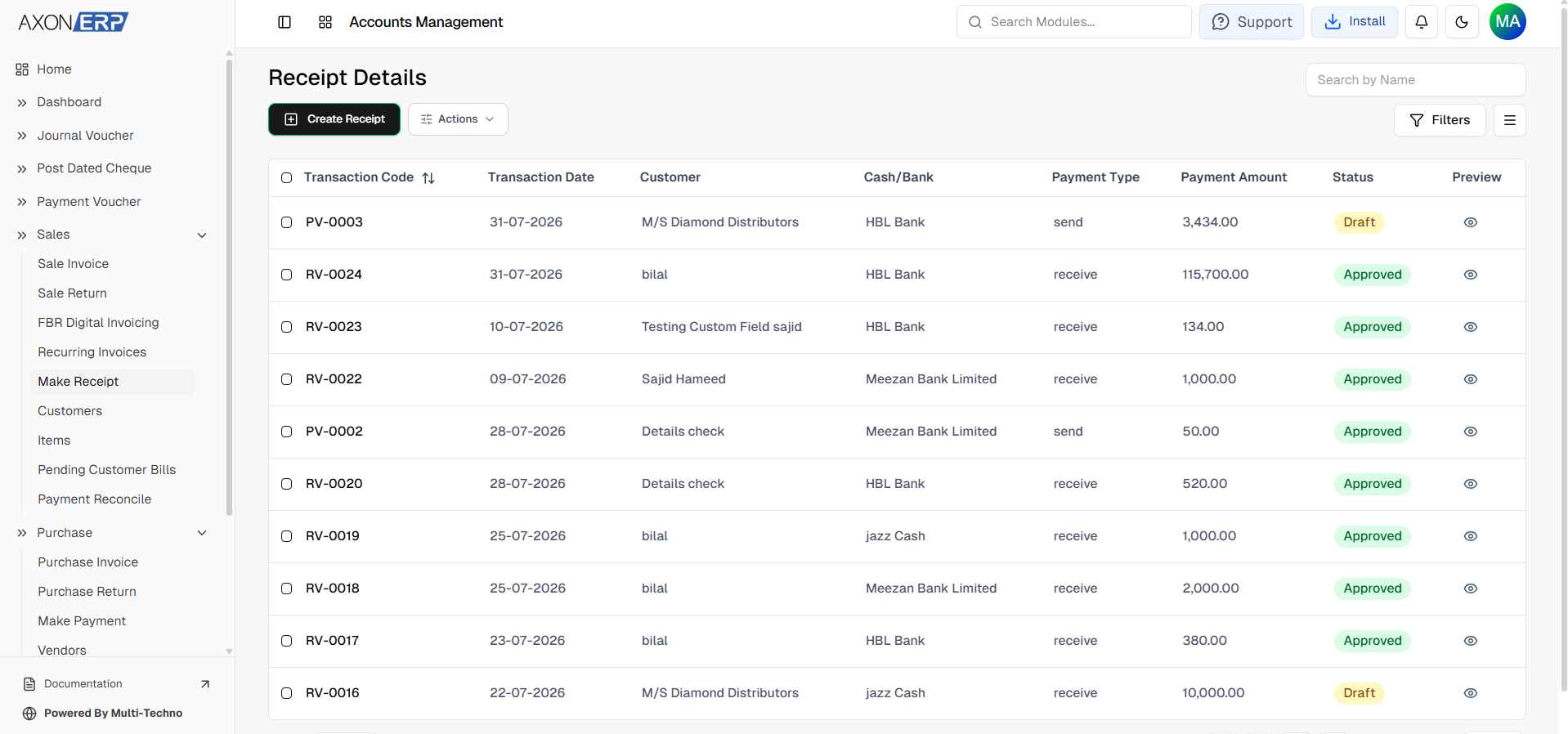
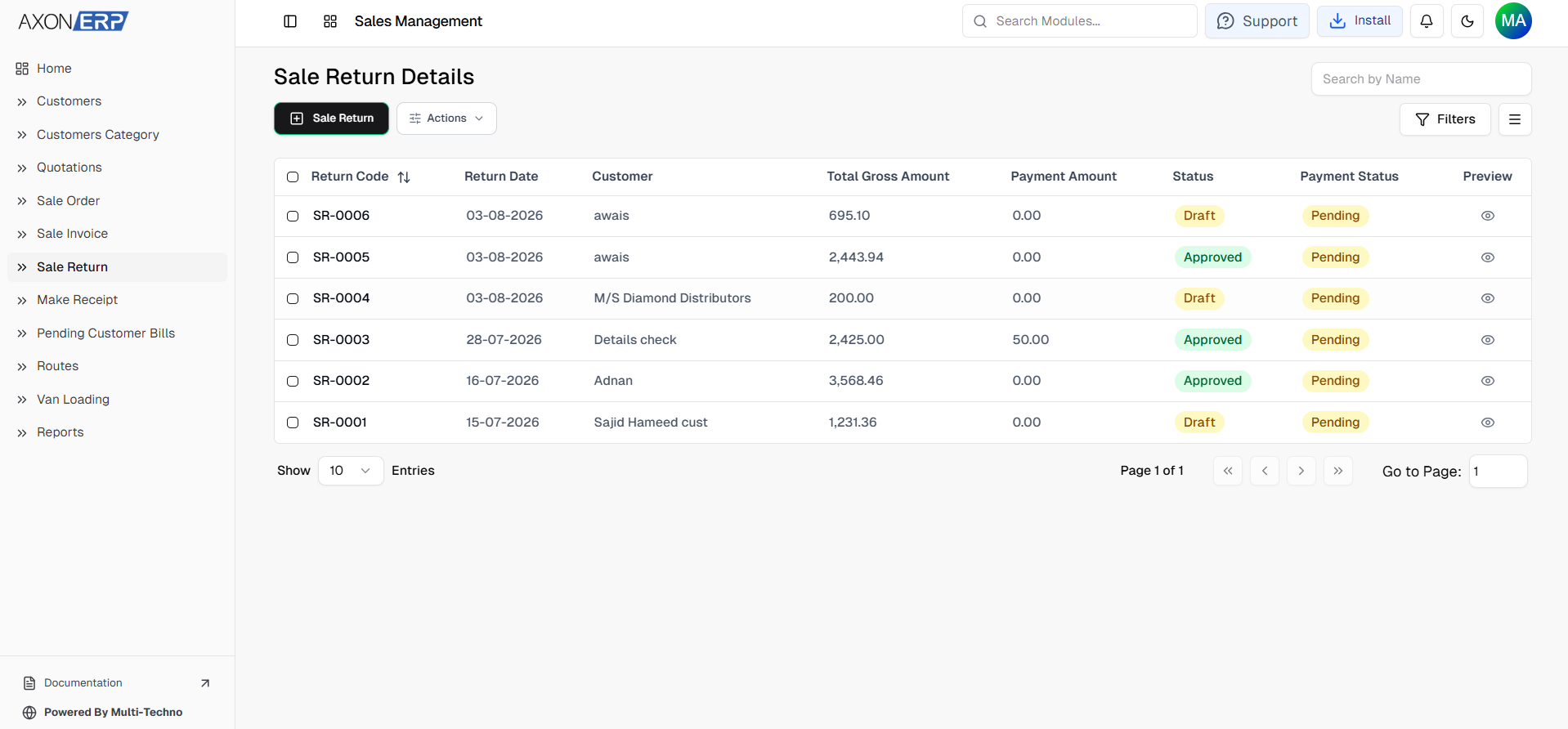
After a Sales Invoice is approved, users can also initiate related business transactions directly from the invoice. For example, they can create a customer receipt to record incoming payments or initiate a Sales Return when goods need to be returned. Since these transactions remain linked with the original Sales Invoice, businesses maintain complete visibility throughout the sales lifecycle.
Creating Invoices from Pending Customer Bills
Businesses that process a large number of customer orders do not always create invoices immediately. To simplify this process, Axon ERP includes a Pending Customer Bills feature that displays pending customer orders in one centralized view.
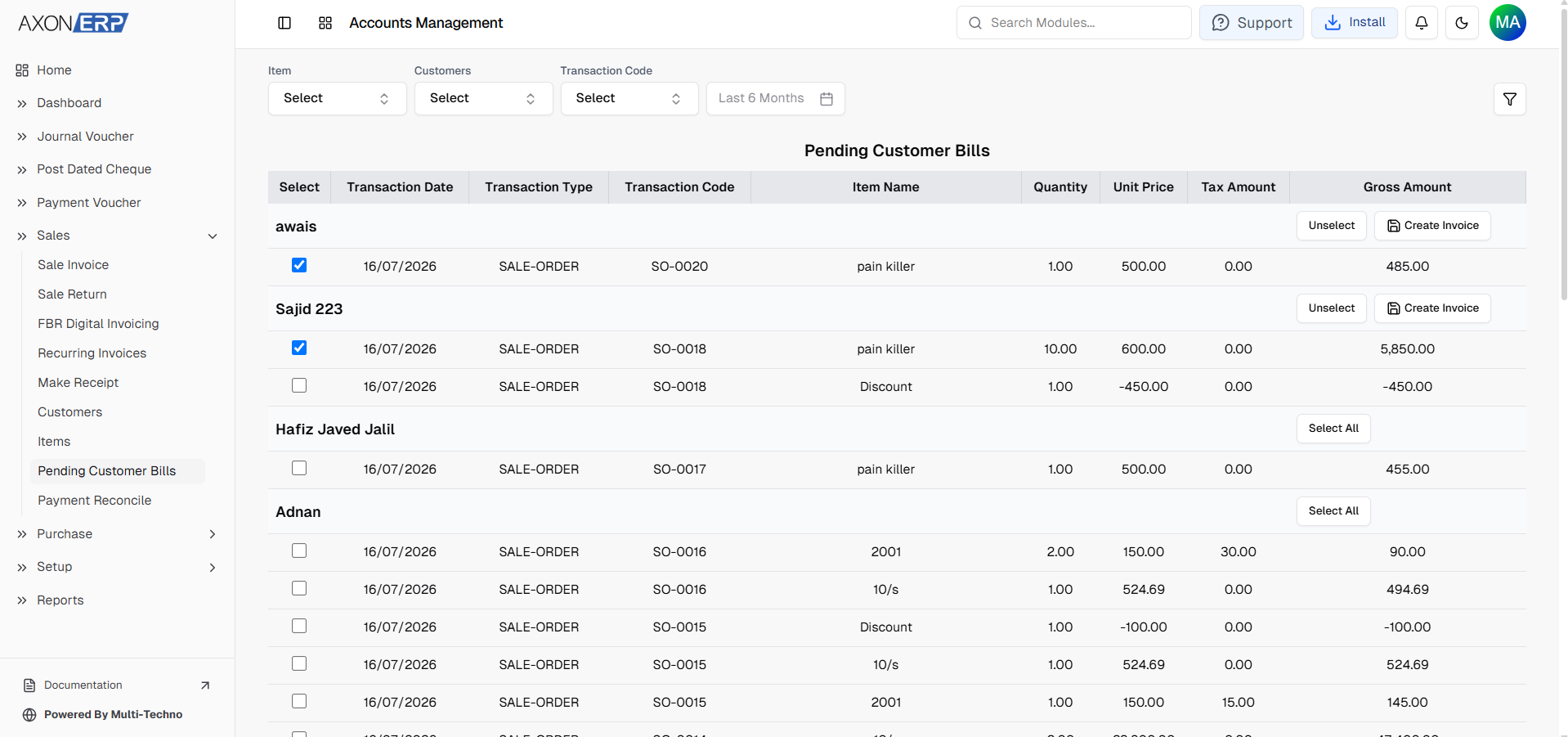
Users can filter pending transactions by customer, item, transaction code, or date range to quickly locate outstanding sales.
Once the required orders are selected, Axon ERP allows users to generate Sales Invoices directly from the pending transactions. The invoices are automatically created in Draft status, allowing users to review pricing, quantities, taxes, and other invoice details before final approval.
After approval, the invoice follows the same workflow by updating inventory, accounting records, and customer receivables automatically.
This feature helps businesses reduce manual invoice preparation, process pending orders faster, and maintain better control over customer billing activities.
Managing Customer Invoices Safely
Customer invoices directly affect inventory valuation, financial reporting, customer balances, and business revenue. Allowing approved invoices to be edited freely can create inconsistencies across multiple business processes.
To maintain data accuracy, Axon ERP follows a controlled approval workflow.
Users can freely review and modify invoices while they remain in Draft status. Once an invoice is approved, it cannot be edited or deleted directly.
If changes become necessary, users must first reset the invoice back to Draft status before making any modifications. This approach helps protect financial records while maintaining proper operational control over the invoicing process.
Faster Billing with Barcode Scanning
For businesses handling a large number of products every day, manually searching and adding items to invoices can slow down the billing process.
Axon ERP includes built-in barcode scanning functionality that allows users to add products directly to a Sales Invoice by scanning product barcodes.
As each barcode is scanned, the corresponding inventory item is automatically added to the invoice with its predefined pricing, tax configuration, and product information. This significantly reduces manual entry, improves billing speed, and minimizes human errors during invoice creation.
The feature is especially useful for retail stores, wholesale businesses, supermarkets, pharmacies, and other businesses processing high volumes of customer invoices throughout the day.
Invoice Reports and Business Visibility
Creating invoices is only one part of the billing process. Businesses also need clear visibility into their sales performance.
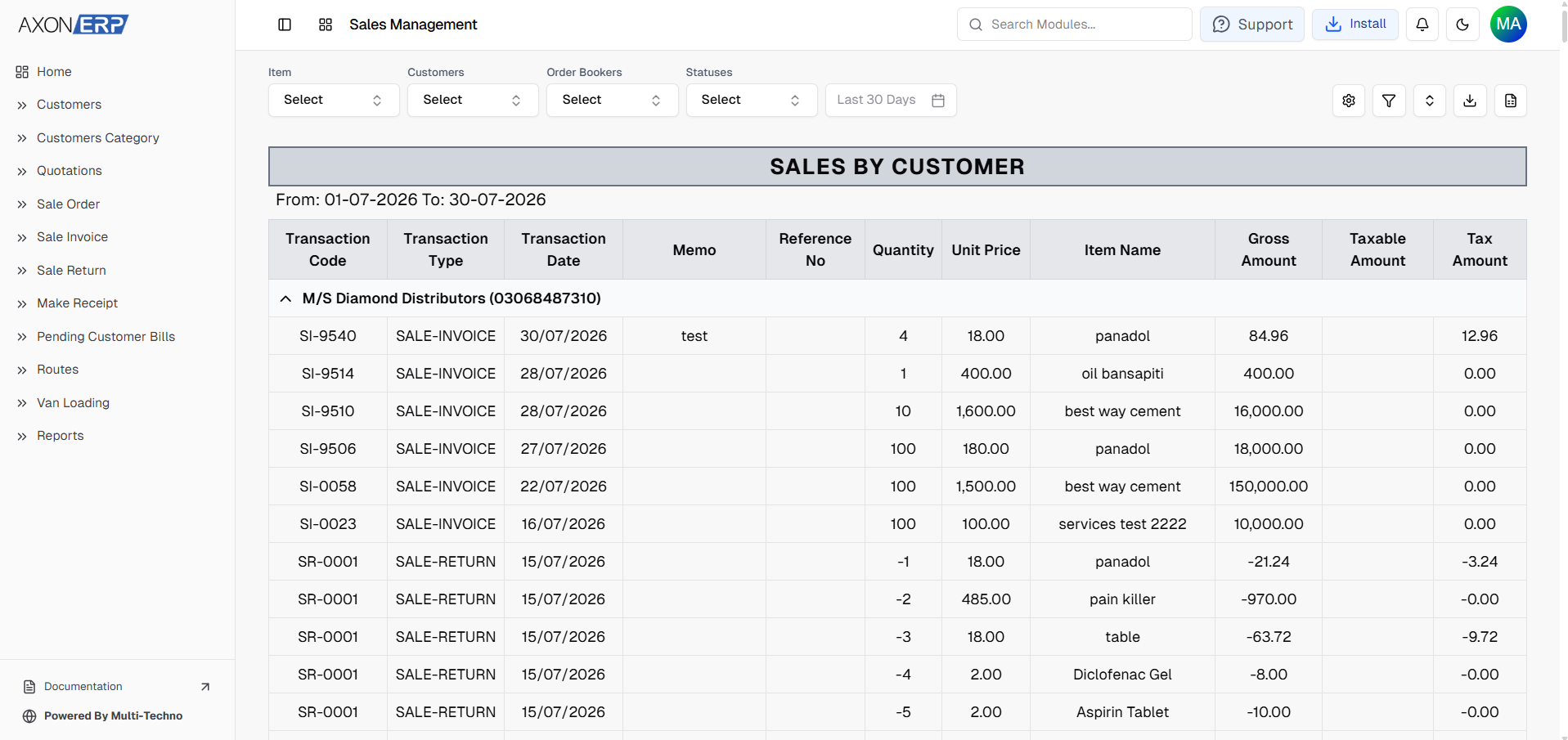
Axon ERP provides built-in Sales Invoice reports that help management analyze invoicing activity from different business perspectives.
Businesses can review reports based on:
- Sales by Customer
- Sales by Month
- Sales by Item
These reports help management understand customer purchasing trends, monitor monthly sales performance, identify top-selling products, and support better business decision-making without relying on manually prepared spreadsheets.
Final Thoughts
As businesses grow, manual invoicing becomes increasingly difficult to manage. Re-entering customer information, checking prices manually, tracking invoice status, and maintaining separate records often lead to billing delays, payment issues, and unnecessary administrative work.
Axon ERP simplifies the entire invoicing process through centralized Customer Invoicing Software that connects customers, inventory, pricing, taxes, warehouses, accounting, and payments within a single workflow. Whether invoices are created manually or generated directly from approved Sales Orders, every transaction remains accurate, traceable, and connected throughout the sales cycle.
With built-in approval controls, barcode scanning, payment processing, reporting, and seamless integration with inventory and financial records, Axon ERP helps businesses improve billing accuracy, accelerate invoice processing, reduce manual effort, and maintain complete visibility over every customer transaction.
Businesses looking to replace manual billing with a faster and more reliable Sales Invoice Software can streamline their entire invoicing workflow through Axon ERP while building a stronger foundation for efficient sales operations and long-term business growth.