

Post Detail
BackAxon ERP Official
21 weeks ago
Inventory Setup in ERP Software: Complete Guide for Businesses
Managing inventory becomes difficult when businesses grow. Without a proper inventory structure, companies often face stock shortages, duplicate items, pricing confusion, warehouse mismatches, and inaccurate inventory reports.
This is where inventory setup in ERP software becomes essential.
A modern ERP system helps businesses organize inventory operations by creating a centralized structure for items, warehouses, units of measure, pricing, stock tracking, and inventory reporting.
Whether you operate a retail store, manufacturing company, trading business, warehouse, or distribution network, proper inventory setup improves operational efficiency and inventory accuracy.
What is Inventory Setup in ERP Software?
Inventory setup in ERP software is the process of configuring inventory-related settings before daily stock transactions begin.
This setup usually includes:
- item creation
- item categories
- warehouse setup
- units of measure (UOM)
- item pricing
- stock configuration
- inventory controls
- opening stock structure
A properly configured inventory management system helps businesses maintain accurate stock records and improve inventory visibility across departments.
Businesses usually complete inventory setup after finishing their company setup in ERP software.
Why Proper Inventory Setup is Important
Many inventory problems happen because businesses skip proper configuration during ERP implementation.
Poor inventory setup can cause:
- incorrect stock balances
- duplicate items
- pricing inconsistencies
- warehouse confusion
- inaccurate inventory valuation
- reporting errors
- operational delays
A structured ERP inventory configuration helps businesses standardize inventory operations and improve stock control.
It also improves coordination between inventory, purchasing, sales, accounts, and warehouse teams.
Key Components of Inventory Setup in ERP Software
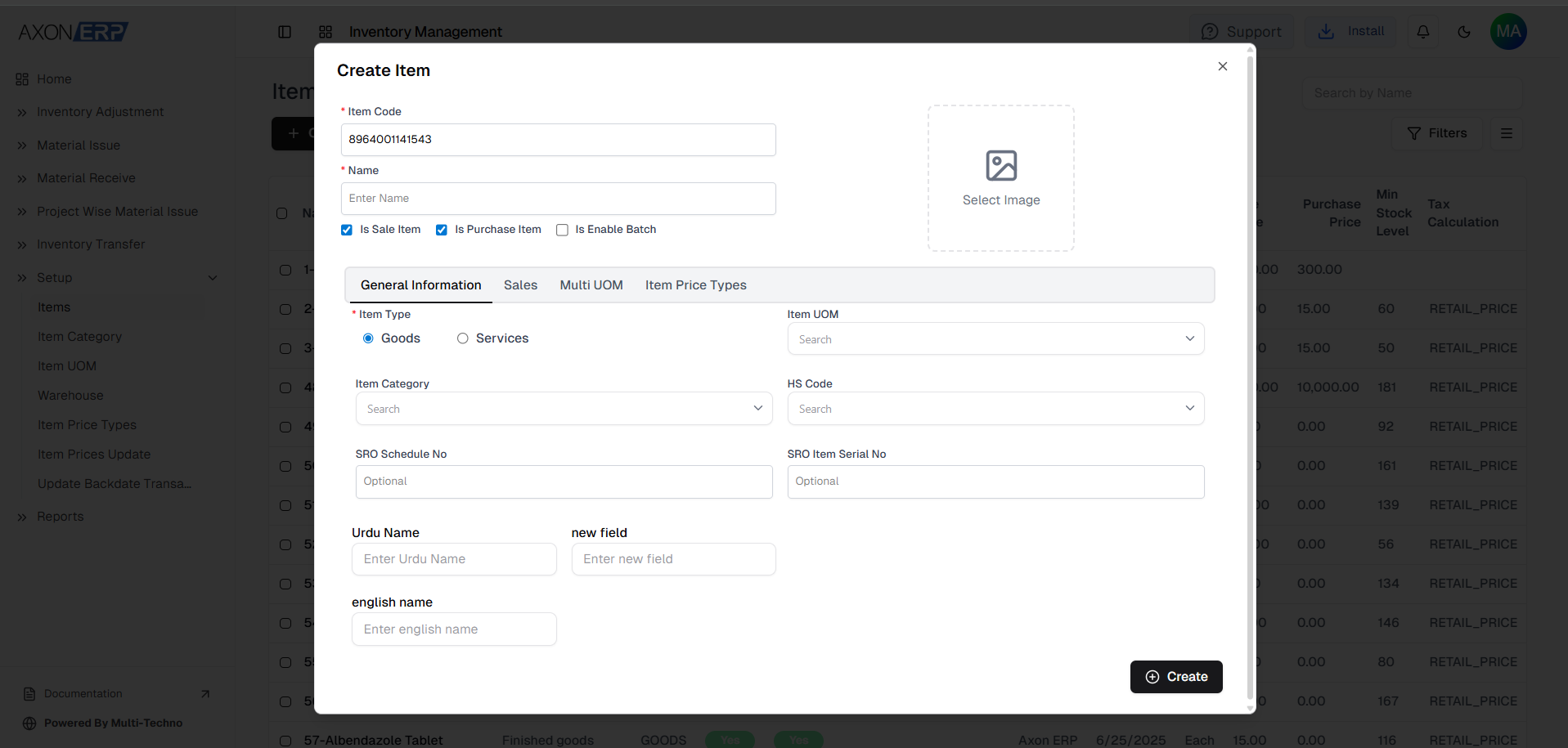
1. Item Management
The inventory setup process starts with item creation.
Businesses can define:
- item code
- item name
- item type
- item category
- unit of measure
- sale price
- tax type
- minimum stock levels
This creates a centralized item database that improves inventory tracking and transaction accuracy.
Modern inventory management systems also support item filtering, bulk imports, exports, and category-based organization.

2. Item Categories
Item categories help businesses organize inventory systematically.
Businesses can classify items according to:
- product type
- department
- inventory group
- tax structure
- revenue accounts
- cost accounts
Proper category mapping improves inventory reporting, accounting integration, and stock analysis.
Inventory categories also help businesses maintain accurate financial records inside an integrated accounts & finance ERP system.

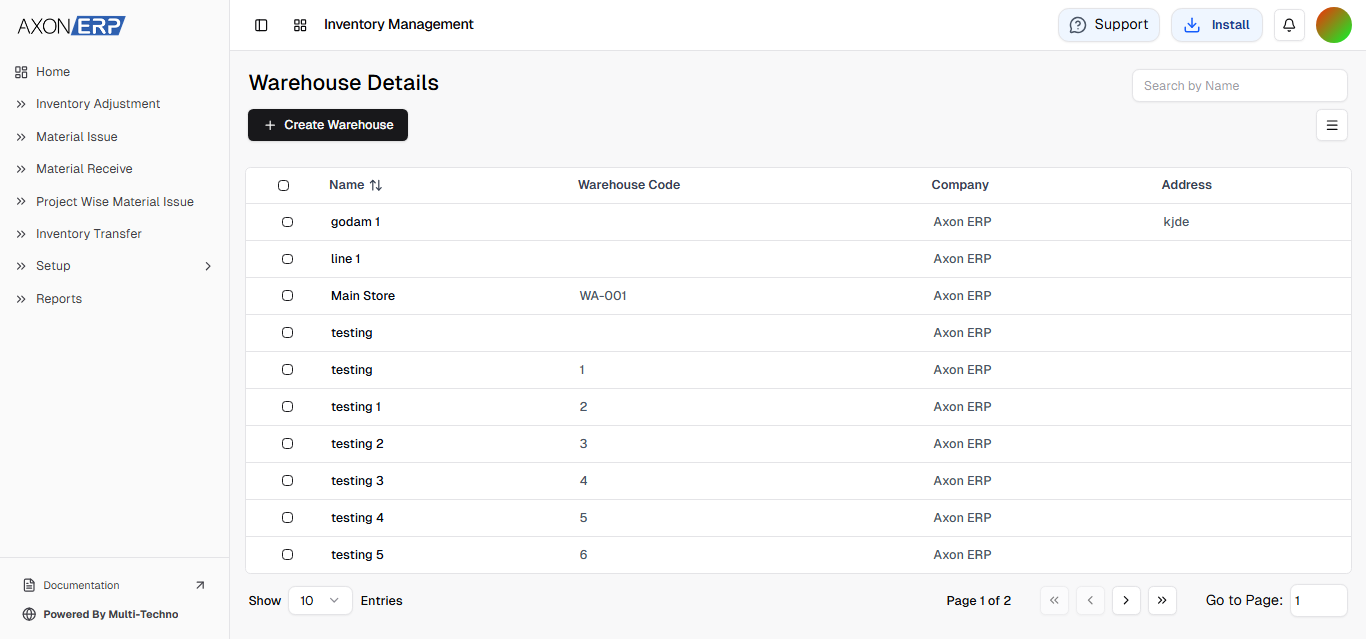
3. Warehouse Management
Warehouse configuration is an important part of inventory setup in ERP software.
Businesses can create multiple warehouses and assign:
- warehouse names
- warehouse codes
- company association
- storage locations
- operational ownership
A proper warehouse management in ERP structure improves inventory transfers, stock visibility, and inventory planning across locations.
This becomes especially important for businesses managing multiple branches or storage locations.

4. Unit of Measure (UOM) Configuration
ERP systems also allow businesses to configure standardized units of measure.
For example:
- pieces
- cartons
- boxes
- liters
- kilograms
- bundled quantities
A structured UOM setup improves inventory consistency across purchasing, sales, warehouse operations, and stock reports.
Businesses using multi-unit inventory structures often rely on ERP inventory systems to manage accurate quantity conversions.
You can learn more about inventory management best practices from IBM’s inventory management guide.
5. Item Pricing Setup
Inventory setup also includes item pricing configuration.
Businesses can define:
- retail pricing
- wholesale pricing
- custom price types
- sale prices
- purchase rates
This helps maintain pricing consistency across sales and inventory operations.
Modern ERP systems also support bulk price updates and pricing management based on units of measure.
6. Opening Stock & Inventory Controls
Businesses can configure opening stock structures and inventory controls during ERP implementation.
This helps organizations:
- maintain accurate stock balances
- manage inventory adjustments
- control stock movement
- improve inventory valuation
- reduce inventory discrepancies
A properly configured inventory control system improves operational accuracy and reporting reliability.
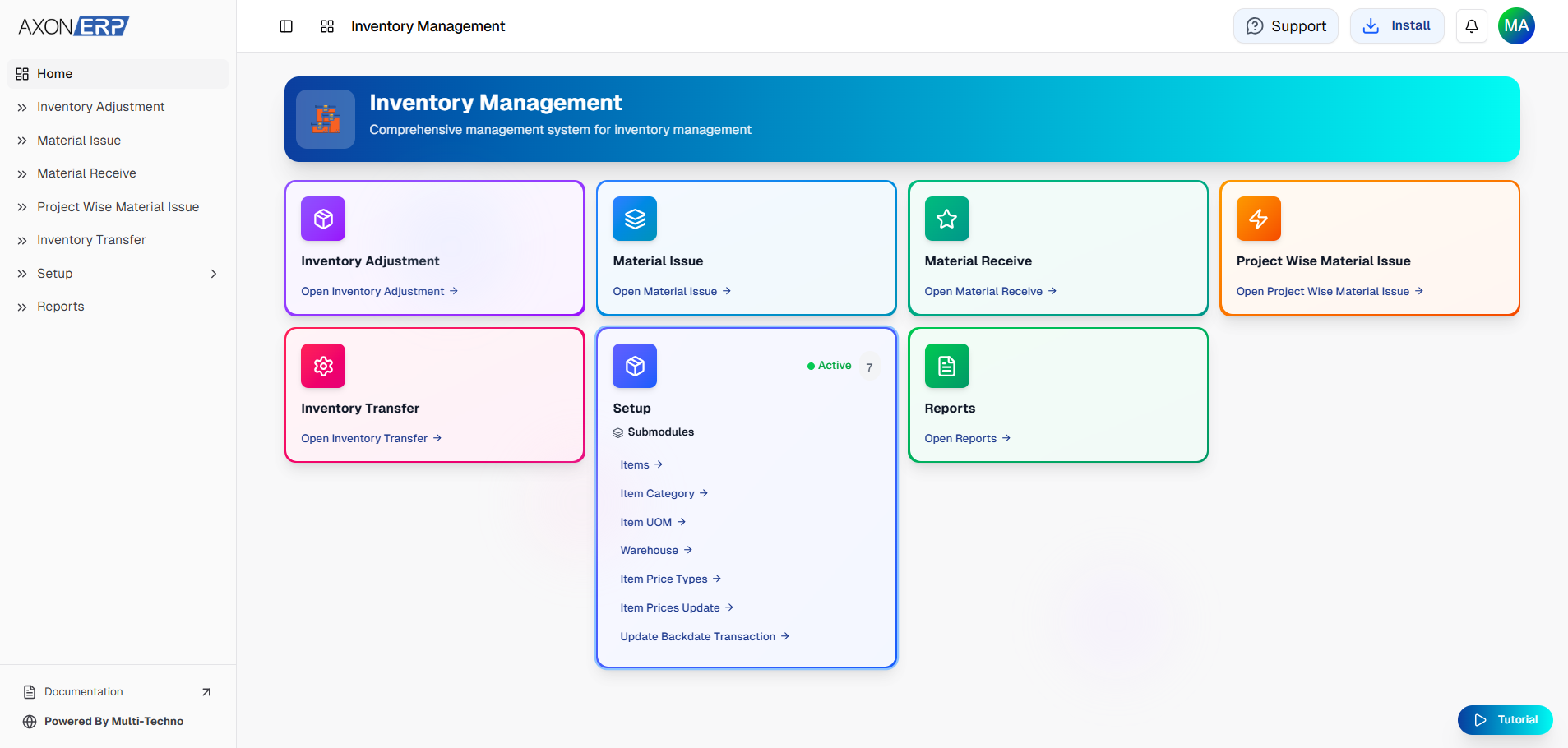
Inventory Setup in Axon ERP
Axon ERP provides a complete inventory management system that helps businesses organize and control inventory operations efficiently.
Businesses can:
- create items
- configure warehouses
- manage item categories
- define units of measure
- manage inventory pricing
- update opening stock
- track inventory movement
- generate inventory reports
The centralized inventory setup in Axon ERP improves stock visibility, operational control, and inventory accuracy across departments.
Best Practices for ERP Inventory Setup
To improve inventory management efficiency, businesses should:
- standardize item naming conventions
- avoid duplicate item creation
- configure accurate units of measure
- organize warehouses properly
- review inventory pricing regularly
- maintain proper stock categories
- monitor minimum stock levels
- integrate inventory with accounting systems
A properly planned inventory setup creates a strong foundation for long-term inventory management and business scalability.
Proper inventory setup also works closely with role management in ERP software, allowing businesses to control which employees can access warehouses, inventory adjustments, stock reports, and inventory transactions.
Final Thoughts
Inventory setup in ERP software is one of the most important steps in building an organized and scalable business operation.
A properly configured inventory management system improves stock accuracy, warehouse control, inventory visibility, and operational efficiency.
As businesses grow, strong inventory setup becomes essential for maintaining accurate reporting, smooth operations, and better inventory decision-making.