


Post Detail
BackAxon ERP Official
1 hr ago
Why Growing Businesses Need Multi-Company ERP
Business growth often creates a problem that is easy to overlook.
When a business operates through one company, keeping track of sales, purchases, inventory, expenses, and financial records is relatively straightforward. But as the business expands into multiple companies, branches, or separately managed operations, the same approach can become difficult to maintain.
Different teams may need different access. Each company may need its own transactions and financial records. At the same time, the owner or administrator still needs a central way to oversee everything.
This is where a multi-company ERP can make a practical difference.
What Is a Multi-Company ERP?
A multi-company ERP allows businesses to manage more than one company or business entity through a single ERP environment while keeping each company's records and operations separate.
Instead of maintaining completely disconnected systems for every company, management can work from one platform and control access according to the requirements of each company.
For a growing trading or distribution business, this can become particularly useful when different operations need to remain separately organized without creating unnecessary administrative complexity.
Why Managing Multiple Companies Becomes Difficult as a Business Grows
Growth does not only mean more sales. It usually means more transactions, more employees, more inventory, more suppliers, and potentially more than one company or operating entity.
At that point, businesses can start facing practical problems.
Separate records become harder to maintain
Each company may have its own sales, purchases, expenses, inventory movements, and financial transactions.
If these records are maintained across separate spreadsheets, accounting systems, or disconnected software, keeping everything organized becomes increasingly difficult.
The challenge is not simply storing more information. It is keeping the information separated correctly while still allowing management to access it when needed.
User access becomes more complicated
Not every employee needs access to every company.
A sales employee working for one company may only need access to that company's sales operations. Someone handling purchasing may require access to purchase-related functions, while an administrator may need broader visibility.
As the number of companies and users increases, managing access manually can become difficult.
Financial information can become harder to review
When multiple companies are involved, management needs to know which records belong to which company.
Mixing transactions or relying on manually separated reports can make routine financial review more time-consuming and increase the risk of mistakes.
A structured system should make it clear which company a transaction belongs to and allow authorized users to work with the appropriate records.
What Should a Multi-Company ERP Actually Provide?
Simply having multiple companies inside an ERP is not enough. The system needs to support the way the business actually operates.
Some important capabilities include:
Separate company records
Each company should be able to maintain its own transactions and financial information without those records being mixed with another company.
This is particularly important for businesses where each company needs to maintain its own accounting and operational history.
Company-specific modules
Different companies may not require exactly the same operations.
One company may need sales and inventory management, while another may require additional modules for purchasing, accounting, HR, or other business processes.
Being able to assign the relevant modules to each company helps keep the system aligned with actual requirements.
Controlled user permissions
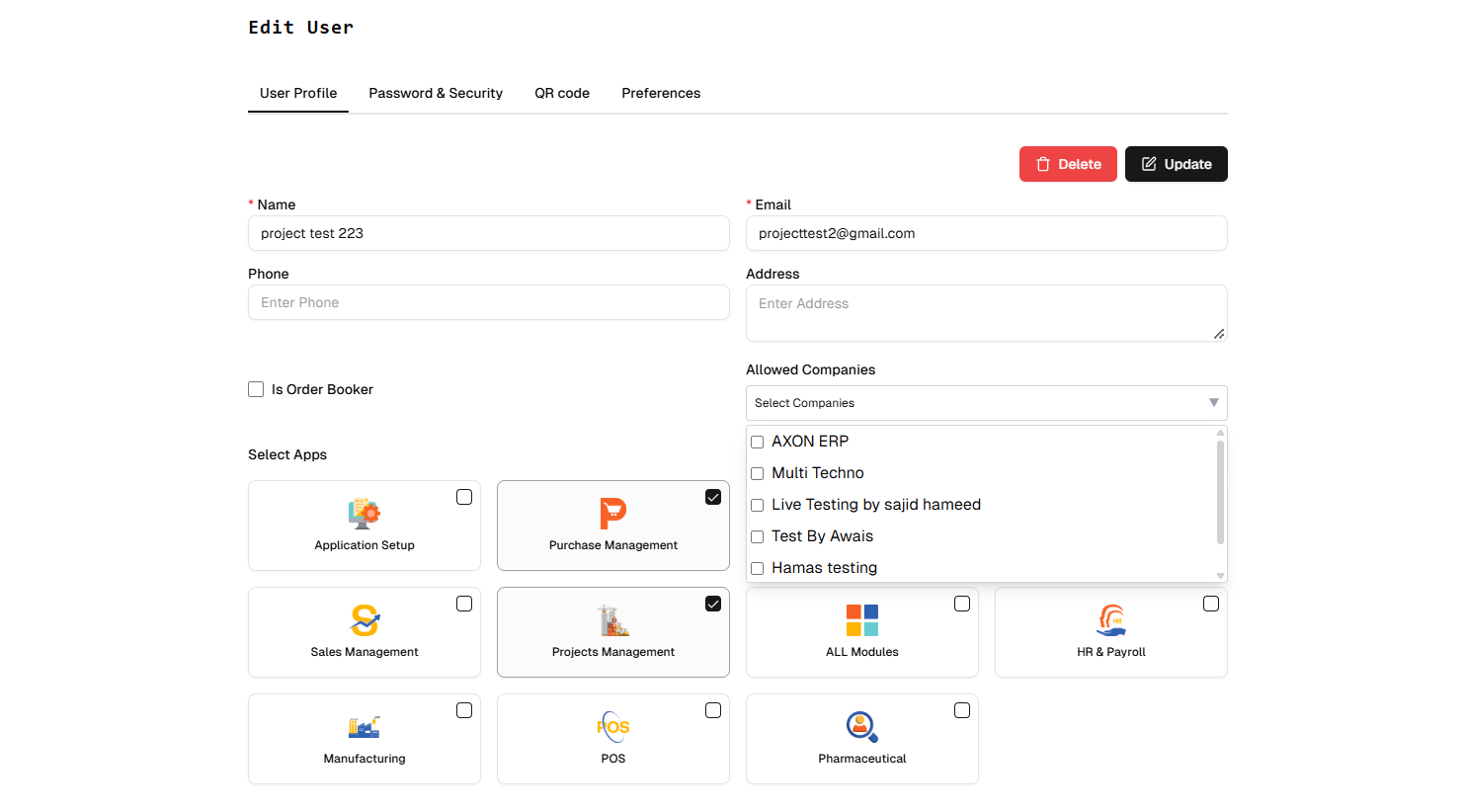
Users should only have access to the companies and functions relevant to their responsibilities.
Role-based permissions can help businesses control who can view or manage particular areas of the system.
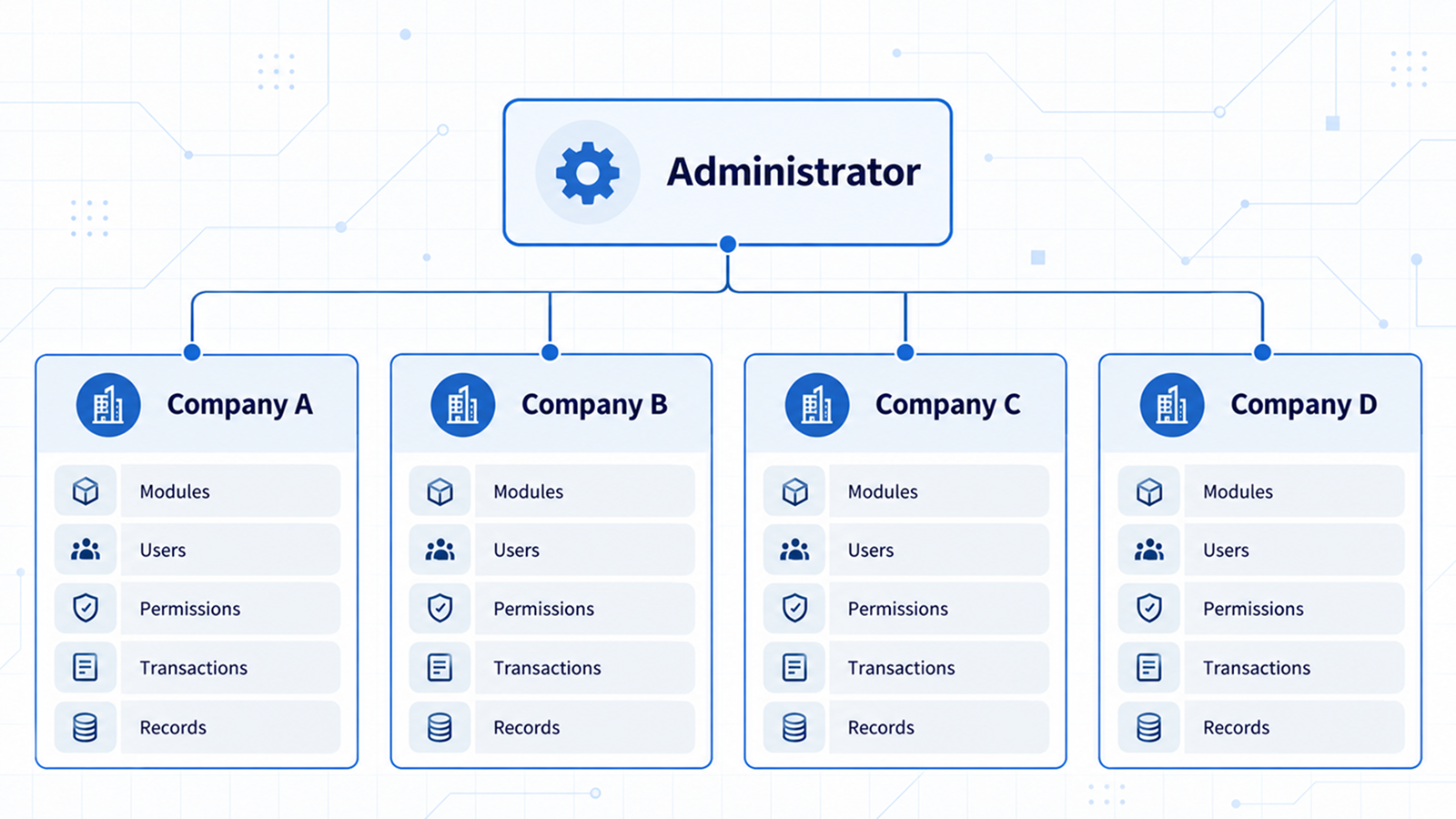
Centralized administration
Separate company records do not mean management should lose central oversight.
An administrator should be able to access the relevant companies from one environment and review them individually when required.
This combination of separate records and centralized administration is one of the practical reasons businesses consider multi-company ERP systems as they grow.
How Multi-Company ERP Can Work for a Trading or Distribution Business
Consider a trading business that has expanded and now operates through several separately managed companies.
Instead of maintaining completely disconnected systems, the business can create each company within its ERP environment.
The administrator can then:
- Create the relevant company records
- Assign the modules required by each company
- Set user permissions according to responsibilities
- Maintain each company's transactions separately
- Access and review companies individually from the administrative level
This approach gives each company its own operational and financial records while giving the administrator a centralized way to manage the overall ERP environment.
For growing SMEs, this can be particularly useful when business expansion starts creating more administrative work than the original accounting or software setup was designed to handle.
Multi-Company ERP vs. Using Separate Systems for Every Company
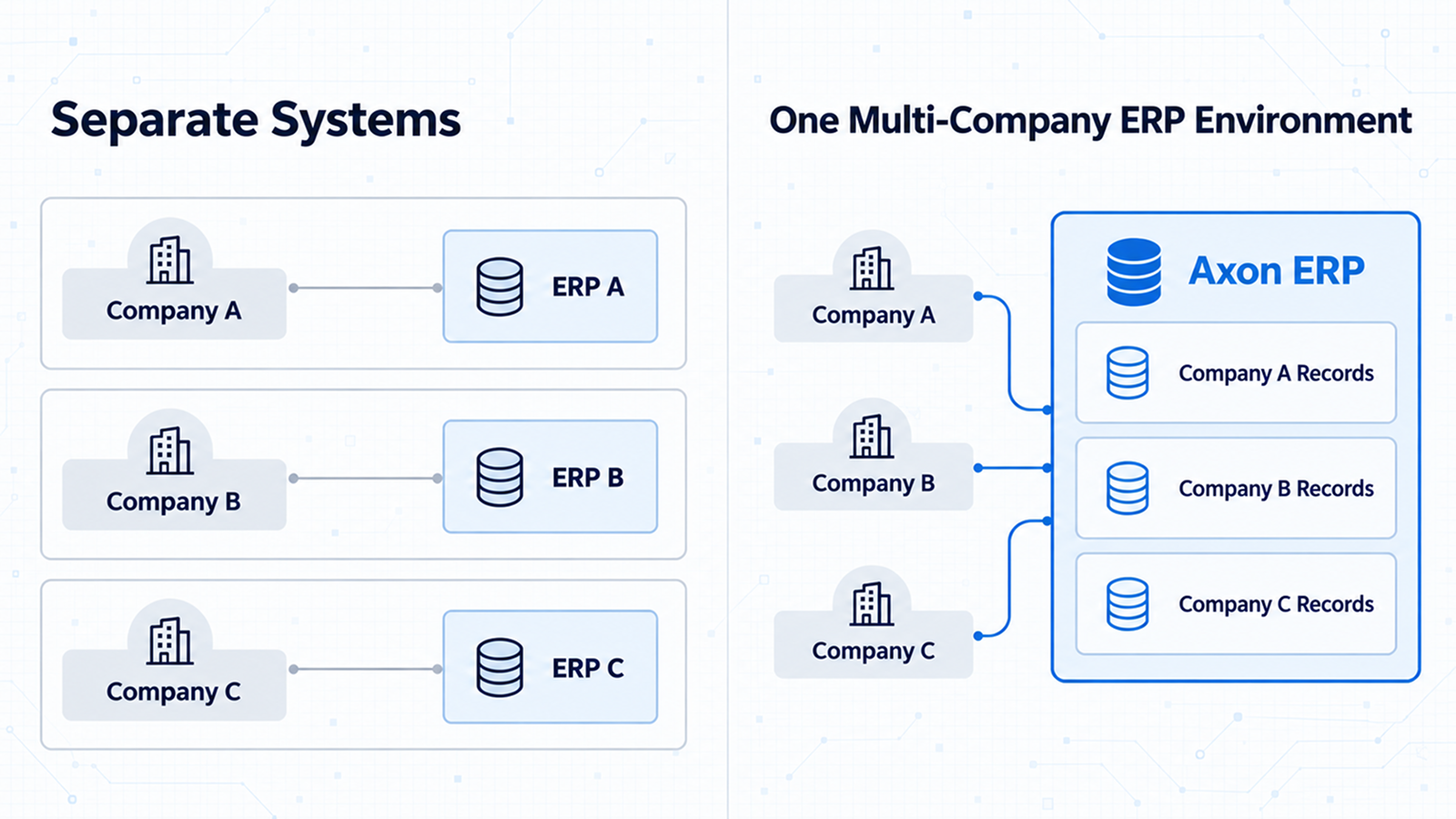
Using a completely separate system for every company can work when the businesses are small and operational requirements are limited.
The problem often appears later.
As the number of companies, users, transactions, and processes increases, management has more systems to maintain, more user access to control, and more places to check for information.
A multi-company ERP provides a different structure: companies remain separately managed within one ERP environment.
The goal is not to make every company operate as one combined business. The goal is to keep company-level operations organized while reducing unnecessary system fragmentation.
When Should a Business Consider Multi-Company ERP?
A business may need to consider this approach when:
- It operates more than one company or separately managed business entity.
- Each company requires its own financial and transaction records.
- Different employees need access to different companies or modules.
- Management needs to review individual companies from one administrative environment.
- Business growth is making separate software or manual records increasingly difficult to manage.
- The business wants a more structured way to manage company-level operations.
Not every growing business needs a multi-company ERP from day one. The need becomes more relevant when multiple entities and increasing operational complexity start creating management problems.
How Axon ERP Handles Multi-Company Management
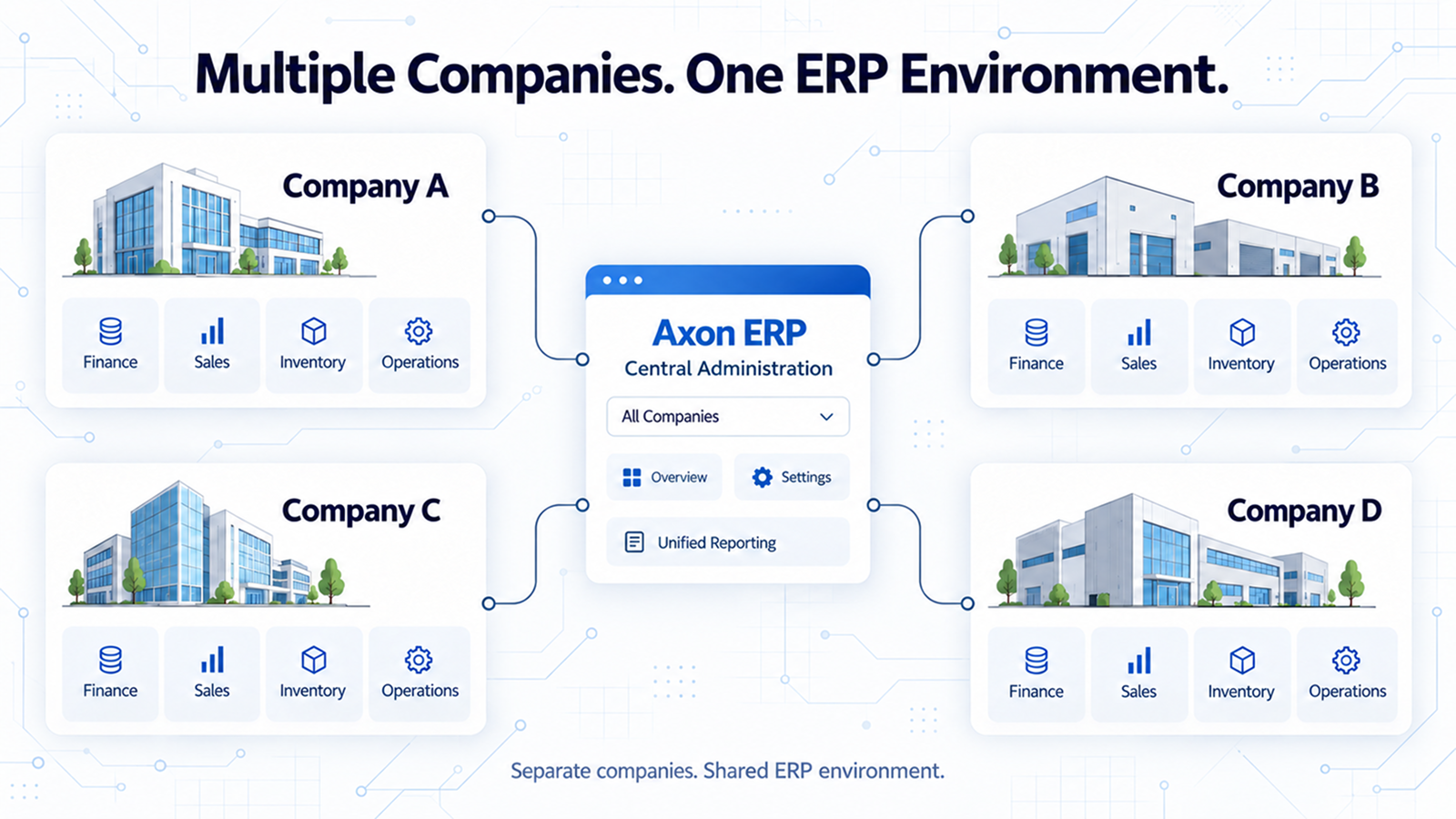
Axon ERP is designed to support businesses that need to manage multiple companies within one ERP environment.
An administrator can create separate companies and assign the modules relevant to each one. User access can then be controlled through permissions, allowing employees to work with the companies and functions relevant to their responsibilities.
Each company's records can be maintained separately, while the administrator can access and review individual companies from the central administrative environment.
For a growing trading or distribution business, this provides a structured way to manage company-level operations without having to maintain an entirely separate ERP environment for every company.
The Real Value Is Control Without Losing Separation
The purpose of multi-company ERP is not simply to put several companies inside one software system.
The real value comes from being able to maintain separation where the business requires it and centralized control where management needs it.
Each company can have its own records, transactions, users, and relevant modules, while management can retain a central point from which those companies can be administered and reviewed.
For businesses that are expanding beyond a single-company setup, this structure can make the transition easier to manage and provide a more organized foundation for further growth.
If your business is managing multiple companies and finding it increasingly difficult to keep records, users, and operations organized, Axon ERP can help you manage those companies through one structured ERP environment while keeping their records and access appropriately separated.