

Post Detail
BackAxon ERP Official
12 weeks ago
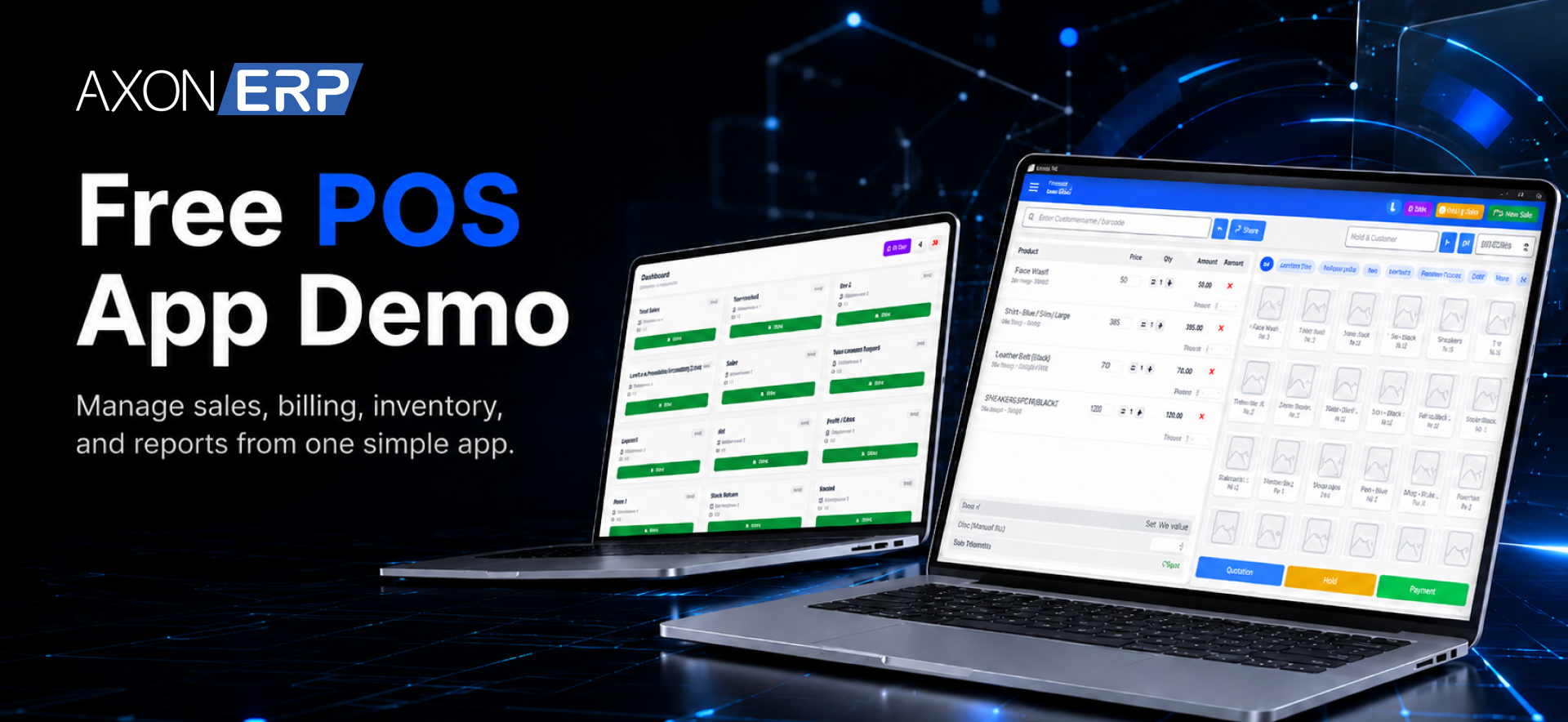
Free Offline POS Software Download: Try Axon ERP Before You Decide
Choosing a POS system is an important decision for any retail business. Whether you run a supermarket, pharmacy, clothing store, electronics shop, or any other retail operation, the software you choose directly affects your daily sales, inventory management, and customer experience.
Most businesses evaluate POS software by watching product demos, browsing screenshots, or scheduling sales presentations. The challenge is that a demo usually shows what the software can do not how it feels to use during real business operations. Navigation speed, billing workflow, receipt generation, and overall usability can only be evaluated by working inside the software yourself. While these methods provide a basic overview, they rarely answer the most important question:
How will this software actually perform in my business?
The best way to evaluate any software is to use it yourself.
That's why Axon ERP is making its Offline POS Software available as a free download with a ready-to-use demo environment. Instead of relying only on videos or demonstrations, you can install the software on your own computer, explore its interface, create sample sales, generate receipts, and experience the complete POS workflow before making any purchasing decision.
This initiative is designed to give retailers, business owners, and decision-makers a practical way to evaluate the software in a real working environment without any sales pressure or complicated setup process.
Why We're Offering a Free Offline POS Download
Selecting a POS system often requires significant time and investment. Businesses want confidence that the software is reliable, easy to use, and suitable for their daily operations before moving forward.
Rather than asking businesses to make a decision based only on product demonstrations, Axon ERP allows you to experience the software firsthand.
Once you complete the download request, you'll receive immediate access to the Offline POS application along with a pre-configured demo environment. Within minutes, you can install the software, log in using the provided demo credentials, and begin exploring its features.
This allows you to evaluate the user interface, billing process, navigation, and overall usability at your own pace.
What You Can Experience
The free Offline POS download provides access to a fully functional demonstration environment where you can explore how the software works during everyday retail operations.
Using the demo environment, you can experience features such as:
- Creating sales transactions
- Generating customer receipts
- Browsing inventory items
- Managing customers
- Processing day-to-day retail sales
- Exploring the POS interface and workflow
- Understanding how offline billing works without requiring an internet connection
The objective isn't simply to show screenshots or feature lists it's to let you experience how Axon ERP Offline POS feels during actual use. Since the demo environment is already configured, you can start exploring the software immediately after installation. This allows you to focus on evaluating the workflow instead of spending time on initial system configuration.
Who Should Try the Free Offline POS?
This free download is ideal for businesses that are evaluating new POS software or planning to modernize their retail operations.
It is particularly useful for:
- Retail stores
- Supermarkets
- Grocery stores
- Pharmacies
- Garment shops
- Electronics retailers
- Hardware stores
- Mobile shops
- Businesses operating multiple checkout counters
If you're comparing different POS solutions, this free trial provides an opportunity to evaluate Axon ERP Offline POS using a real software environment instead of relying solely on demonstrations.
Getting Started Is Simple
We've made the process as straightforward as possible so you can start exploring Axon ERP Offline POS within minutes.
Here's how it works:
- Visit the Free Offline POS download page.
- Complete the short download request form.
- Your Offline POS installer will be downloaded instantly.
- Install the application on your Windows computer.
- Use the publicly available demo QR string provided on the download page to log in.
- The demo QR string is publicly available on the download page, so you can log in immediately without requesting additional credentials.
- Start exploring the software using the built-in demo environment.
There's no complicated setup process or lengthy onboarding required. Everything you need to begin testing the software is available on the download page.

What's Included in the Free Download?
The free download gives you access to a ready-to-use demonstration environment designed specifically for product evaluation.
You'll receive:
- The Axon ERP Offline POS installer
- Access to the demo environment
- Demo QR string for login
- Installation instructions
- Setup guidance available on the download page
The demo environment allows you to experience the software without configuring your own company, products, or business data.
If you later decide to implement Axon ERP for your business, the production version can be configured with your own company information, inventory, customers, pricing, and operational requirements.
Want to Learn How Offline POS Works?
If you'd like to understand how the Offline POS system synchronizes with Axon ERP and how it fits into the complete retail workflow, we've already published a detailed announcement covering its functionality.
Read our previous article to learn more about the complete Offline POS workflow before exploring the software yourself.
Why Try It Before You Decide?
Every business operates differently, and choosing a POS system based solely on presentations or promotional videos doesn't always provide the confidence needed to make the right decision.
By downloading the software and exploring it yourself, you can evaluate:
- The user experience
- Billing workflow
- Navigation
- Interface design
- Overall ease of use
This hands-on experience helps you make a more informed decision before investing in a complete ERP solution.
Download Axon ERP Offline POS Today
If you're evaluating POS software for your business, there's no better way to understand how it works than by using it yourself.
Download Axon ERP Offline POS, explore the demo environment, experience the complete billing workflow, and see how the software fits your business requirements—all before making a purchase decision.
Frequently Asked Questions
Is the download really free?
Yes. The Offline POS demo is available as a free download for evaluation purposes.
Do I need internet to use the demo?
No. Internet access is only required to download the installer. Once installed, you can explore the demo environment offline.
Does the demo include sample data?
Yes. The software comes with a ready-to-use demonstration environment, allowing you to experience the system without creating your own business data.
Can I use this for my actual business?
The free version is intended for evaluation and testing. To use the software with your own company information, inventory, customers, and live business operations, you'll need the production version of Axon ERP.
Can I install it on multiple computers?
Yes. The demo version can be installed for evaluation purposes on compatible Windows systems.
Do I need technical knowledge to install it?
No. Installation instructions are available on the download page, making it easy for most users to get started.
Final Thoughts
Choosing the right POS software shouldn't rely on assumptions. The best way to evaluate any solution is to experience it in a real working environment.
With the free Offline POS download, Axon ERP gives businesses the opportunity to install the software, explore its capabilities, and understand how it works before making a commitment.
If you're looking for a practical way to evaluate a modern offline POS solution, download Axon ERP Offline POS today and experience it for yourself.