

Post Detail
BackAxon ERP Official
16 weeks ago
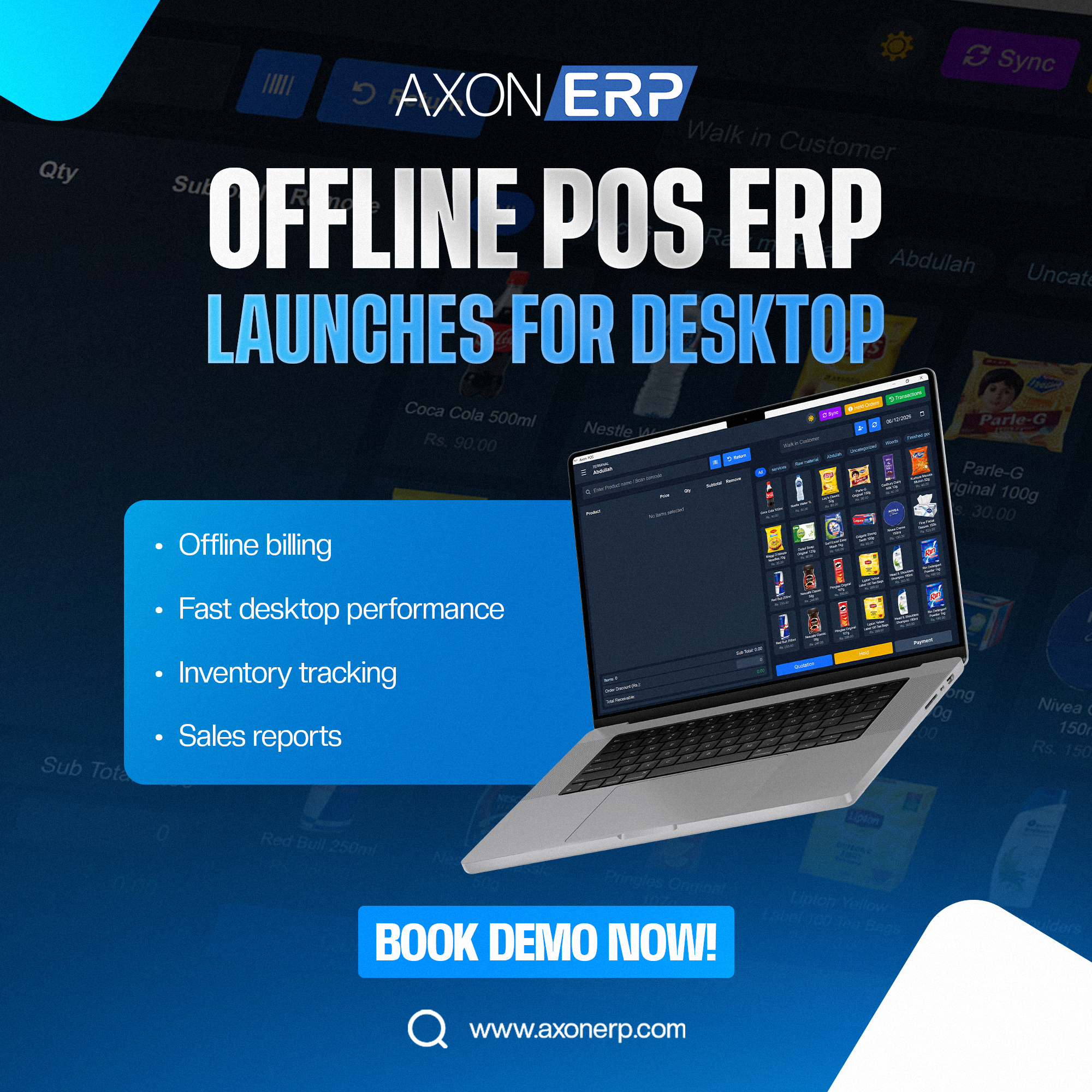
Axon ERP Launches Offline POS Software for Faster Retail Operations
Businesses often face a common challenge when running retail operations: internet connectivity issues. When the internet becomes slow or unavailable, billing operations can stop, causing delays at checkout counters, customer frustration, and lost sales opportunities.
To solve this problem, Axon ERP is excited to introduce its new Offline POS Software, a powerful desktop-based solution designed to keep your business running even without an active internet connection.
The new Offline POS Desktop Application allows businesses to process sales, manage inventory, and record transactions locally while automatically synchronizing data with the cloud ERP system once internet connectivity is restored.
What is the Axon ERP Offline POS Software?
The Axon ERP Offline POS Software is a desktop point-of-sale (POS) solution that enables businesses to continue billing and sales operations without depending on a continuous internet connection.
Users simply log in using their authorized Axon ERP credentials, and the system automatically loads their assigned POS terminal settings and permissions.
With the Offline POS Desktop Application, businesses can:
- Generate invoices offline
- Process customer payments
- Track inventory movements
- Manage sales transactions
- Continue operations during internet outages
- Synchronize data with the central ERP system
This ensures uninterrupted business operations while maintaining complete data accuracy.
How the Offline POS System Works
Login Using Existing ERP Credentials
Authorized users can log in using their existing Axon ERP username and password.
The system automatically retrieves:
- User permissions
- Assigned POS terminal
- Pricing configurations
- Product information
This eliminates duplicate setup requirements and ensures consistency between the desktop POS and cloud ERP.
Process Transactions Offline
Once logged in, users can continue:
- Creating sales invoices
- Processing customer payments
- Managing retail transactions
- Applying pricing rules
- Recording inventory movements
All transactions are securely stored within the desktop application.
Synchronize with Cloud ERP
When internet connectivity becomes available, users simply click the Sync button.
The system automatically transfers:
- Sales invoices
- Payment records
- Inventory transactions
- Customer information
- POS activity logs
to the main Axon ERP cloud database.
This keeps all business records synchronized across locations and departments.
Key Features of the Offline POS Desktop Application
Offline Billing
Continue generating invoices even when internet service is unavailable.
Fast Desktop Performance
The desktop architecture provides faster performance compared to browser-based systems, helping cashiers process transactions more efficiently.
Inventory Tracking
Inventory movements are recorded during offline operations and synchronized automatically with the ERP system.
Sales Reporting
All sales transactions become available inside the ERP system after synchronization, ensuring accurate reporting and analytics.
Secure User Authentication
Only authorized users can access the system using their assigned ERP credentials and permissions.
Automatic Data Synchronization
The built-in synchronization feature ensures that all offline transactions are safely transferred to the cloud ERP environment.
Benefits for Retail Businesses
The Offline POS Software helps businesses:
- Eliminate billing interruptions
- Reduce operational downtime
- Improve checkout speed
- Maintain inventory accuracy
- Continue sales operations during internet outages
- Synchronize business data automatically
This solution is ideal for:
- Retail stores
- Supermarkets
- Grocery chains
- Pharmacies
- Distribution businesses
- Multi-branch retail operations
Fully Integrated with Axon ERP
Unlike standalone POS applications, the Axon ERP Offline POS Software remains fully integrated with the complete ERP ecosystem.
After synchronization, transactions automatically update related business processes including:
- Inventory Management
- Sales Management
- Customer Records
- Financial Reporting
- Business Analytics
This provides complete visibility across the organization from a single platform.
Businesses using modern ERP solutions can maintain operational continuity while ensuring all departments work with accurate real-time information.
Available Now
The Axon ERP Offline POS Desktop Application is now available for businesses looking to improve retail efficiency and eliminate dependency on continuous internet connectivity.
If you would like to learn more about the new Offline POS Software or explore how it can improve your retail operations, contact the Axon ERP team or schedule a personalized product demonstration today.