

Post Detail
BackAxon ERP Official
14 weeks ago
How ERP Software Simplifies Material Issue and Inventory Consumption
Imagine a manufacturing company where the production team needs raw materials to begin today's production schedule. The warehouse team issues the required materials, but the transaction is never recorded properly. A few days later, inventory reports show stock that no longer exists, purchasing teams reorder items unnecessarily, and management loses visibility into actual inventory consumption.
This is a common challenge for businesses that rely on spreadsheets or manual registers to track internal inventory movements.
An ERP system eliminates these problems by recording every material issue transaction in real time. Instead of manually adjusting stock, businesses can issue materials through an organized workflow that updates inventory, creates accounting entries, and maintains complete traceability across departments.
In this guide, we'll explain how ERP software simplifies material issue management, why it matters for growing businesses, and how Axon ERP helps organizations maintain accurate inventory records.
What is Material Issue in ERP Software?
Material Issue is the process of issuing inventory items from a warehouse for internal use instead of selling them to customers.
Businesses commonly issue materials for:
- Manufacturing production
- Maintenance work
- Construction projects
- Employee consumption
- Internal departments
- Service operations
- Product samples
Unlike a sales transaction, a material issue reduces available inventory without generating customer revenue. Every transaction is recorded inside the Inventory Management module, allowing businesses to maintain complete visibility over stock movements.
Why Material Issue Matters
Many businesses accurately record purchases but fail to track internal inventory consumption.
As a result, they often experience:
- Inventory shortages
- Stock discrepancies
- Production delays
- Excess purchasing
- Incorrect inventory valuation
- Poor financial reporting
Using a structured material issue process ensures every item leaving the warehouse is properly authorized, recorded, and traceable.
When combined with an effective Warehouse Management process, businesses gain much better control over inventory across different locations.
Common Business Scenarios
Material Issue is used in almost every industry.
Manufacturing
Raw materials are issued to production teams before manufacturing begins.
Construction
Items like cement, steel, electrical equipment, and safety materials are issued against individual projects.
Maintenance
Maintenance departments receive spare parts and repair materials from the warehouse.
Corporate Offices
Office supplies, laptops, printers, and furniture are issued to employees.
Healthcare
Hospitals and pharmacies issue medicines and medical supplies to different departments while maintaining complete inventory records.
How Material Issue Works in Axon ERP
Axon ERP provides a structured workflow for every material issue transaction.
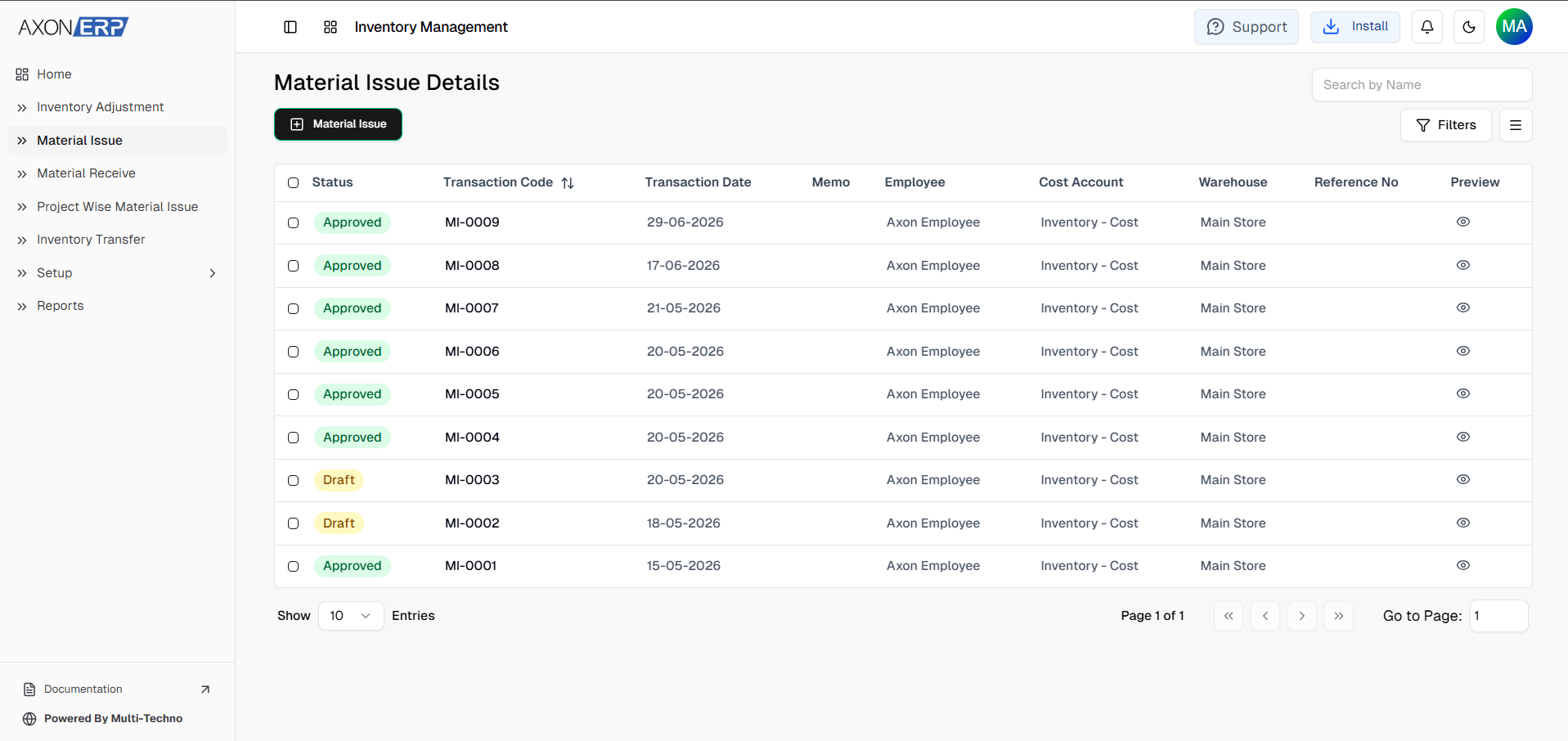
Instead of manually reducing stock quantities, users create a Material Issue document that records every inventory movement.
The typical workflow includes:
- Selecting the warehouse
- Choosing the employee or project
- Adding inventory items
- Entering required quantities
- Saving the document as Draft
- Reviewing the transaction
- Confirming the document
- Automatically updating inventory
- Creating accounting entries
- Making reports instantly available
This standardized workflow improves inventory accuracy while reducing manual errors.
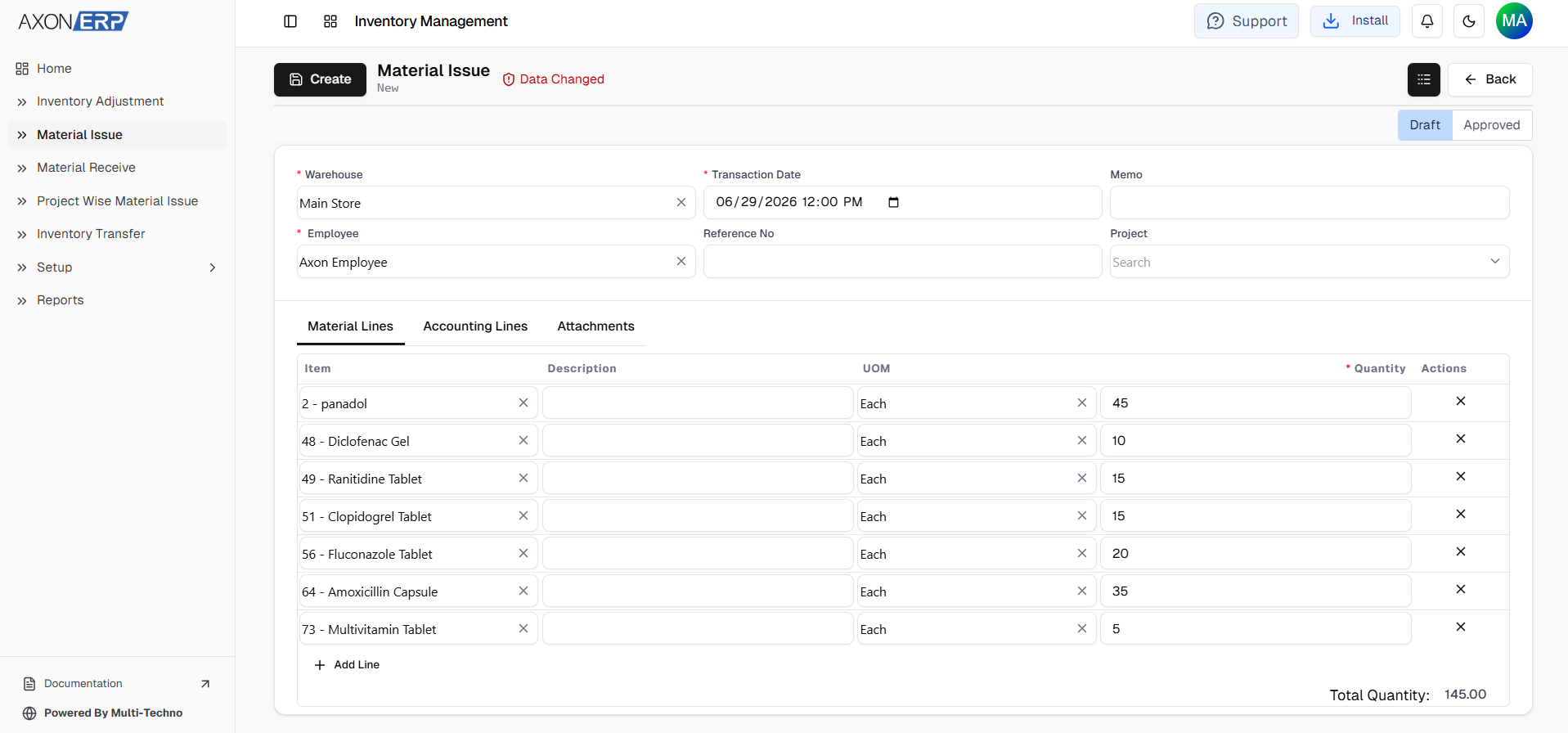
Creating a Material Issue
Users begin by creating a new Material Issue document.
The form includes information such as:
- Warehouse
- Reference Number
- Posting Date
- Employee
- Project
- Remarks
- Status
Users then add the required inventory items inside the Material Lines section.
Each line records:
- Item
- Unit of Measure
- Quantity
- Warehouse
- Remarks
This structured process ensures inventory records remain consistent and easy to audit.
Draft and Approval Workflow
One of the biggest advantages of ERP software is its approval workflow.
Every newly created Material Issue remains in Draft status.
During this stage, users can:
- Edit quantities
- Add or remove items
- Change warehouse information
- Update remarks
- Review inventory details
No inventory movement occurs until an authorized user approves the document.
Once approved:
- Inventory is reduced automatically.
- Warehouse stock updates instantly.
- Accounting entries are generated.
- Reports are updated in real time.
This approval process prevents unauthorized stock movements while improving internal controls.
Integration with Other ERP Modules
Material Issue works closely with multiple ERP modules instead of operating as a standalone process.
For example:
- The Inventory Management module immediately updates stock balances after approval.
- The Warehouse Management module records the warehouse from which inventory was issued.
- The Purchase Management module helps purchasing teams replenish inventory when stock levels become low.
- The Manufacturing module consumes issued raw materials during production.
- The Accounts & Finance module automatically records inventory consumption in financial records.
This integration eliminates duplicate work while ensuring every department works with the same data.
Benefits of ERP-Based Material Issue
Using ERP software for material issue offers several business advantages.
Better Inventory Accuracy
Every approved transaction updates stock automatically, reducing manual adjustments.
Improved Warehouse Control
Warehouse teams maintain complete visibility over outgoing inventory.
Faster Internal Material Requests
Departments receive required materials quickly through a standardized approval process.
Complete Inventory Traceability
Businesses can identify who issued an item, which warehouse supplied it, when it was issued, and where it was used.
Automatic Accounting Entries
The ERP system automatically creates financial records without manual bookkeeping.
Better Business Reporting
Management receives real-time inventory insights for faster decision-making.
Material Issue Reports
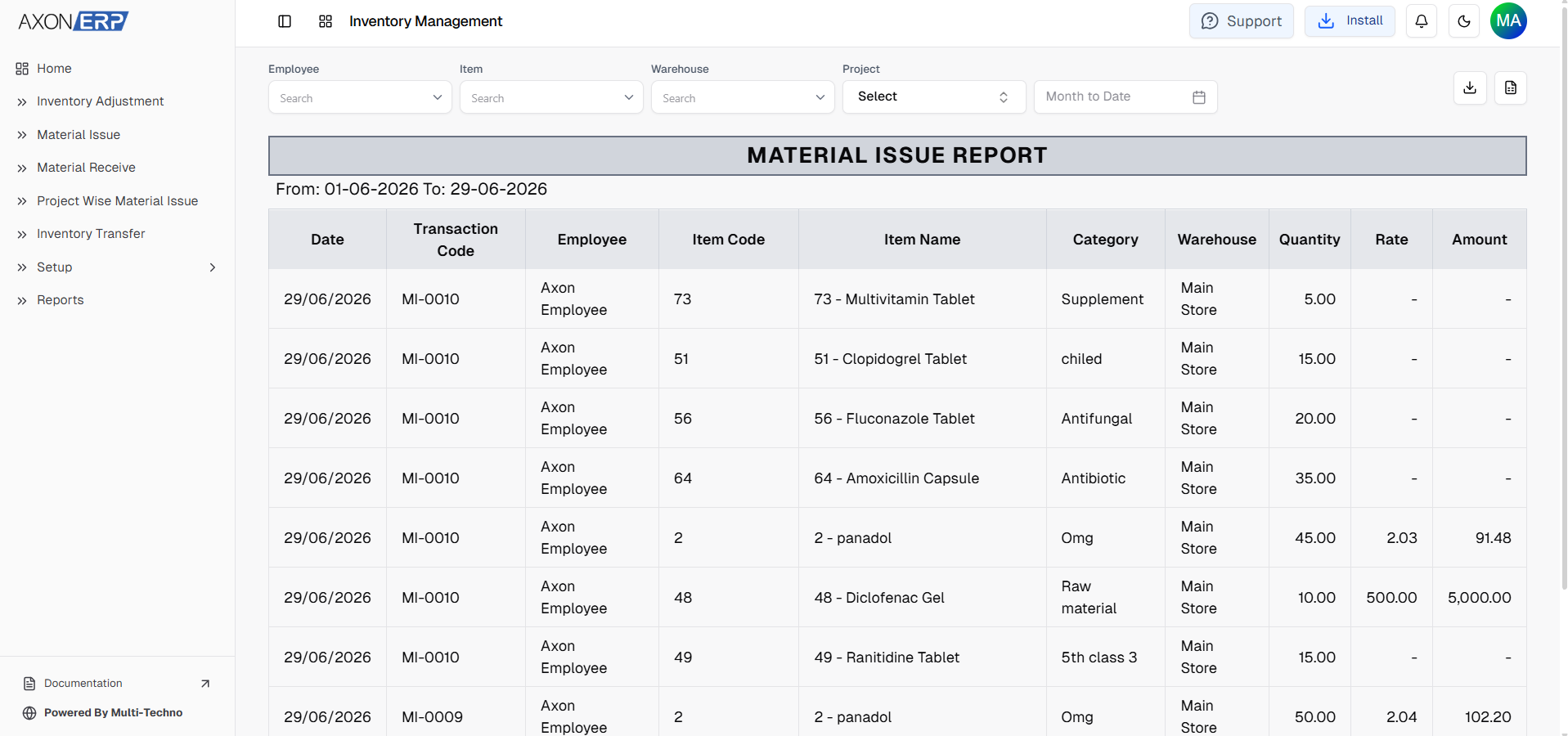
Every approved Material Issue becomes available inside ERP reports.
Common reports include:
- Material Issue Register
- Item Consumption Report
- Warehouse Issue Report
- Project-wise Material Usage
- Employee-wise Material Issue
- Inventory Movement Report
These reports help businesses monitor inventory usage, identify unusual consumption, and improve purchasing decisions.
Best Practices
To improve inventory control, businesses should:
- Issue inventory only through ERP.
- Verify stock before issuing materials.
- Record remarks whenever necessary.
- Assign materials to the correct project or employee.
- Review Draft documents before approval.
- Allow only authorized users to approve transactions.
- Monitor Material Issue reports regularly.
Final Thoughts
Material Issue is an essential inventory process for businesses that want complete control over internal inventory consumption.
Instead of relying on spreadsheets or manual records, ERP software records every inventory movement automatically while updating warehouse stock, generating accounting entries, and maintaining complete audit history.
With Axon ERP, businesses can manage material issues confidently while keeping inventory, warehouse operations, manufacturing, purchasing, and finance fully synchronized.