

Post Detail
BackAxon ERP Official
12 weeks ago
How ERP Software Simplifies Sales Returns, Inventory Updates, and Customer Refunds
Completing a sale is not always the end of a business transaction. Customers may return products because of damaged goods, incorrect deliveries, quantity adjustments, quality concerns, or changes in purchasing requirements. While returns are a normal part of business operations, managing them accurately becomes increasingly difficult as transaction volumes grow.
Many businesses still record sales returns manually using spreadsheets, handwritten notes, or disconnected accounting systems. At first this may appear manageable, but as more invoices and customer returns are processed, keeping inventory records, financial data, and customer refunds synchronized becomes a significant challenge.
Businesses often struggle to answer questions such as:
- Which Sales Invoice does this return belong to?
- Which products were actually returned?
- Were all invoice items returned or only selected products?
- Has inventory been updated after the return?
- Have the required accounting entries been posted?
- Has the customer refund been processed?
Without a structured sales return process, finance and inventory teams spend valuable time updating stock quantities manually, correcting accounting records, verifying returned items, and coordinating customer refunds. These manual activities increase administrative work while creating unnecessary delays and a higher risk of errors.
The impact of a sales return extends far beyond reversing a sale. Every approved return affects inventory levels, accounting entries, customer balances, financial reports, and, where applicable, customer refund processing. When these updates are handled manually, maintaining accurate business records becomes increasingly difficult.
A centralized Sales Return Management Software helps businesses record customer returns, update inventory automatically, generate accurate accounting entries, and manage refund processing through a single connected workflow.
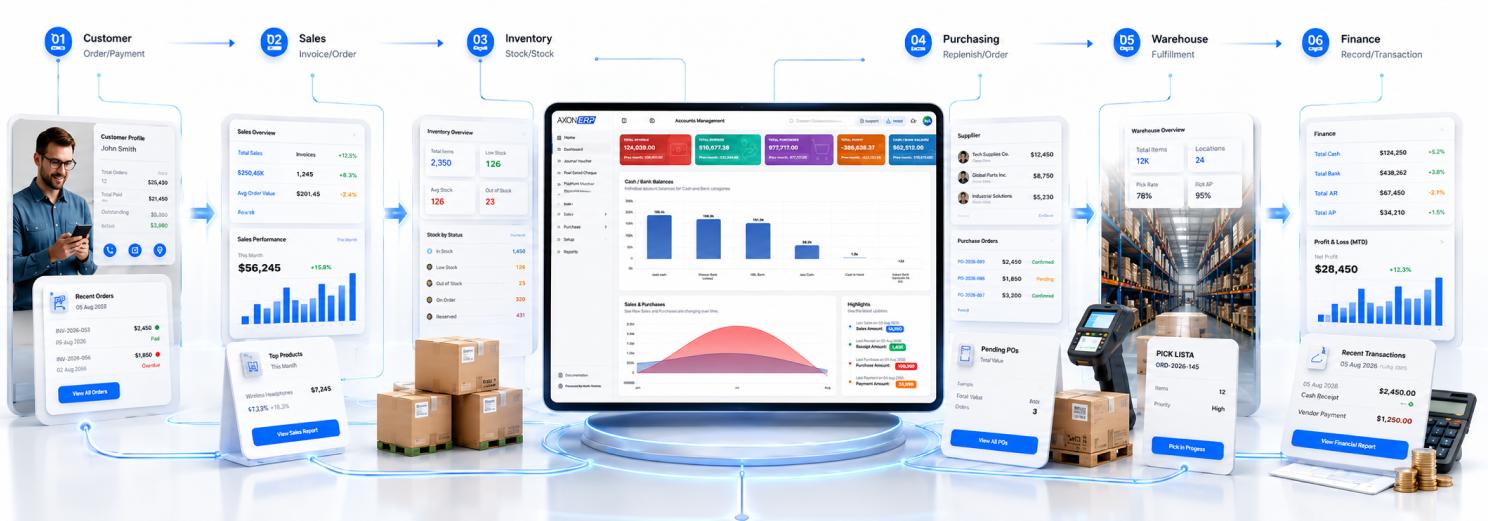
Axon ERP provides an integrated ERP Sales Return solution that connects Sales Invoices, Sales Returns, Inventory, Customer Refund Management, Accounting Entries, and Financial Records within one centralized system. Instead of managing returns across multiple disconnected processes, businesses can control the complete sales return lifecycle while maintaining accurate inventory and financial data.
What Is Sales Return Management Software?
Sales Return Management Software is a centralized system that helps businesses record customer returns, validate returned products, update inventory, generate accounting entries, and manage customer refunds while keeping every transaction connected with the original Sales Invoice.
Instead of manually adjusting inventory, correcting financial records, and maintaining separate return registers, businesses manage every customer return from a single platform where each transaction follows a controlled approval workflow.
A typical Sales Return transaction includes:
- Customer
- Reference Sales Invoice
- Returned Items
- Return Quantity
- Warehouse
- Transaction Date
- Remarks
- Accounting Entries
- Attachments
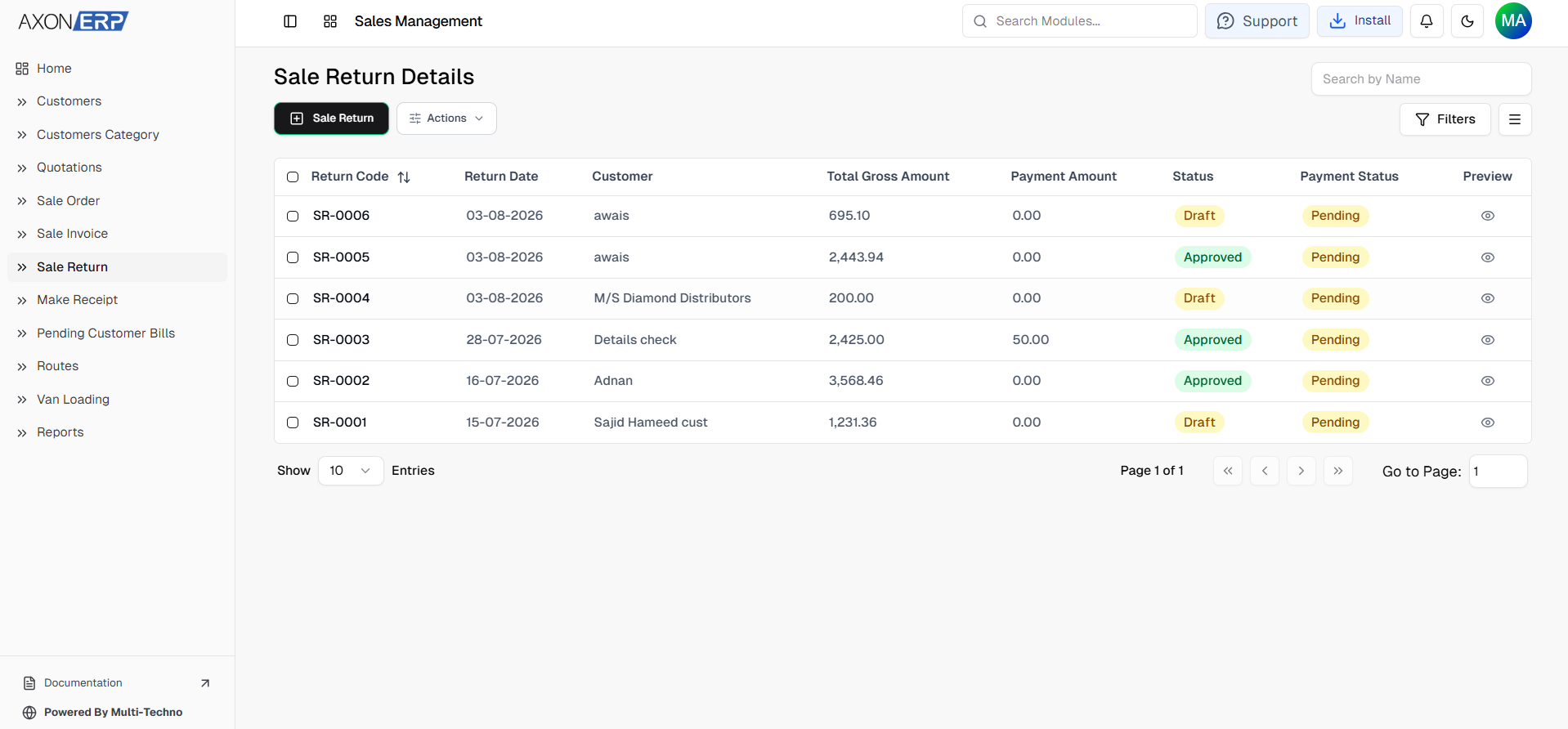
- Status (Draft / Approved)
Because every sales return remains connected with its original invoice, businesses can maintain complete traceability throughout the return process while reducing manual inventory adjustments and financial reconciliation.
Why Manual Sales Return Management Creates Problems
Many businesses successfully complete sales transactions but struggle when customers return products afterward.
Common challenges include:
- Inventory quantities updated manually.
- Returned items not linked with the original Sales Invoice.
- Incorrect stock balances after product returns.
- Delayed customer refund processing.
- Duplicate return entries.
- Incorrect accounting records.
- Time-consuming inventory verification.
- Limited visibility into completed and pending returns.
As return transactions increase, these problems begin affecting inventory accuracy, financial reporting, and customer service.
A centralized Product Return Management Software solves these challenges by connecting sales returns, inventory updates, accounting records, and customer refund processing within a single workflow.
How Sales Return Management Works in Axon ERP
Axon ERP provides centralized Sales Return Management Software that helps businesses record customer returns, update inventory, generate accounting entries, and manage customer refunds from a single platform.
Instead of manually adjusting stock quantities, correcting financial records, and processing refunds through separate systems, every sales return remains connected with the original sales transaction throughout the complete return lifecycle.
Creating Sales Returns Directly from Sales Invoices
One of the biggest advantages of Axon ERP is that businesses can create Sales Returns directly from an approved Sales Invoice.
Once a Sales Invoice has been approved, a Return button becomes available on the invoice screen. Instead of creating a return manually, users can simply click this button to generate a Sales Return against that invoice.
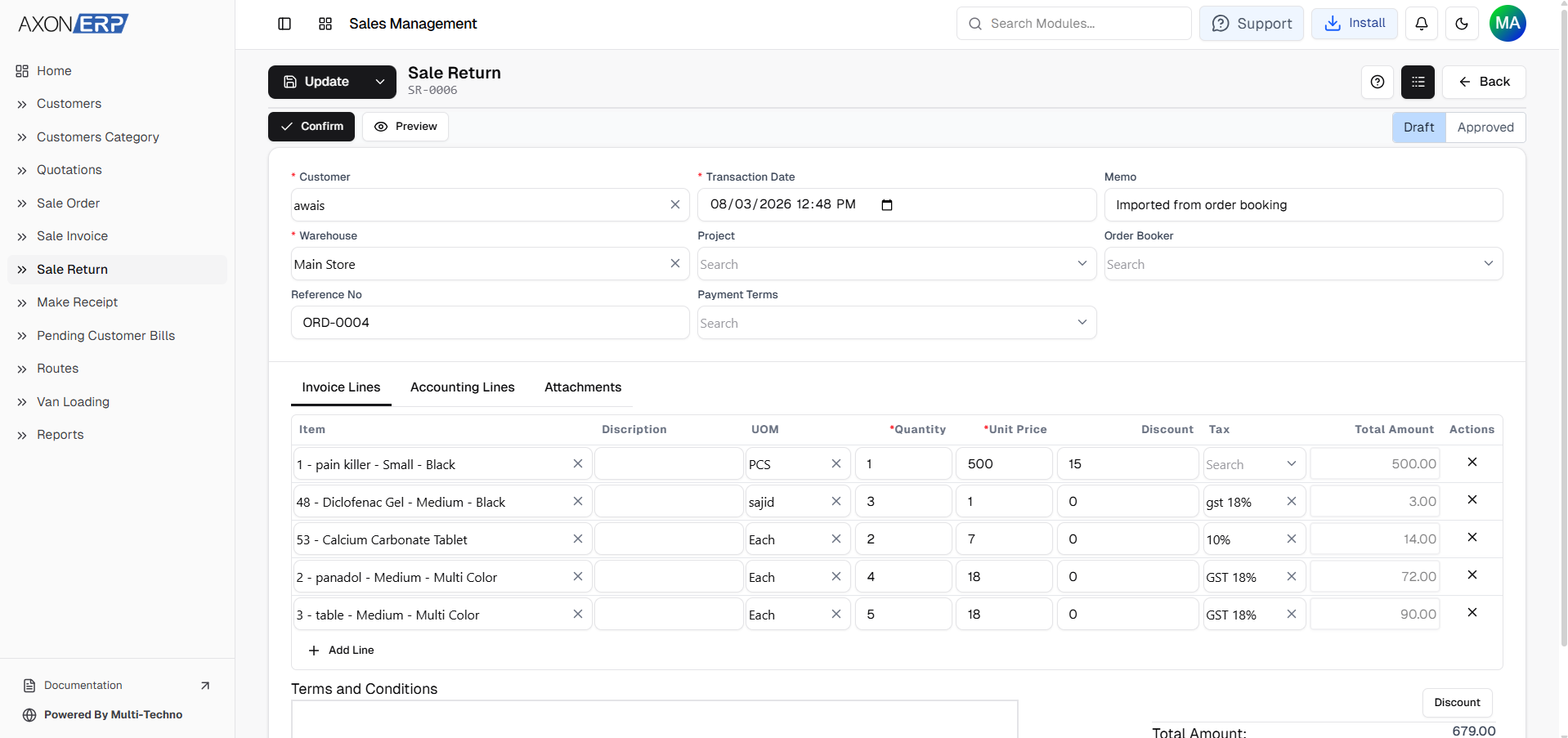
The system automatically creates the Sales Return in Draft status while carrying forward the invoice information, customer details, and all invoice items.
This eliminates duplicate data entry and ensures the return remains linked with the original sales transaction.
Returning Selected Products Instead of the Entire Invoice
Customers do not always return every product purchased on an invoice.
In many cases, only specific products need to be returned or the customer may return only part of the purchased quantity.
Axon ERP allows users to modify the generated Sales Return before approval.
Users can:
- Remove items that are not being returned.
- Change the return quantity for individual products.
- Return only selected items from the original Sales Invoice.
This flexibility allows businesses to process complete as well as partial product returns without creating separate transactions or modifying the original invoice.
Approval Controls Financial and Inventory Updates
Like other financial transactions in Axon ERP, Sales Returns follow an approval workflow.
While the return remains in Draft status, users can review, modify, or update the transaction whenever necessary.
Business records are only updated after the Sales Return is approved.
Once approved, Axon ERP automatically:
- Updates inventory quantities for returned products.
- Generates the required accounting entries.
- Updates customer ledger information.
- Records the return within financial records.
- Maintains complete transaction history linked with the original Sales Invoice.
Because these updates are performed automatically, businesses avoid manual stock adjustments and reduce the possibility of accounting errors.
Creating Sales Returns Manually
Businesses may also need to create Sales Returns that are not initiated directly from an invoice screen.
In these situations, users can create a Sales Return manually by entering the required transaction details.
This provides additional flexibility while keeping all return transactions centralized inside the ERP.
Regardless of how the Sales Return is created, the same approval workflow is followed before inventory and accounting records are updated.
Managing Customer Refunds
After a Sales Return has been approved, Axon ERP enables businesses to process customer refunds without creating separate payment records manually.
The approved Sales Return activates the Make Payment option.
When selected, the system automatically generates a payment transaction using the Send payment type.
Users simply select the appropriate bank or cash account, review the payment information, and approve the transaction.
Once approved, the refund becomes part of the company's financial records while maintaining complete traceability between the Sales Return and the customer refund transaction.
This connected workflow helps businesses process refunds accurately while reducing manual payment entry.
Sales Return Reporting
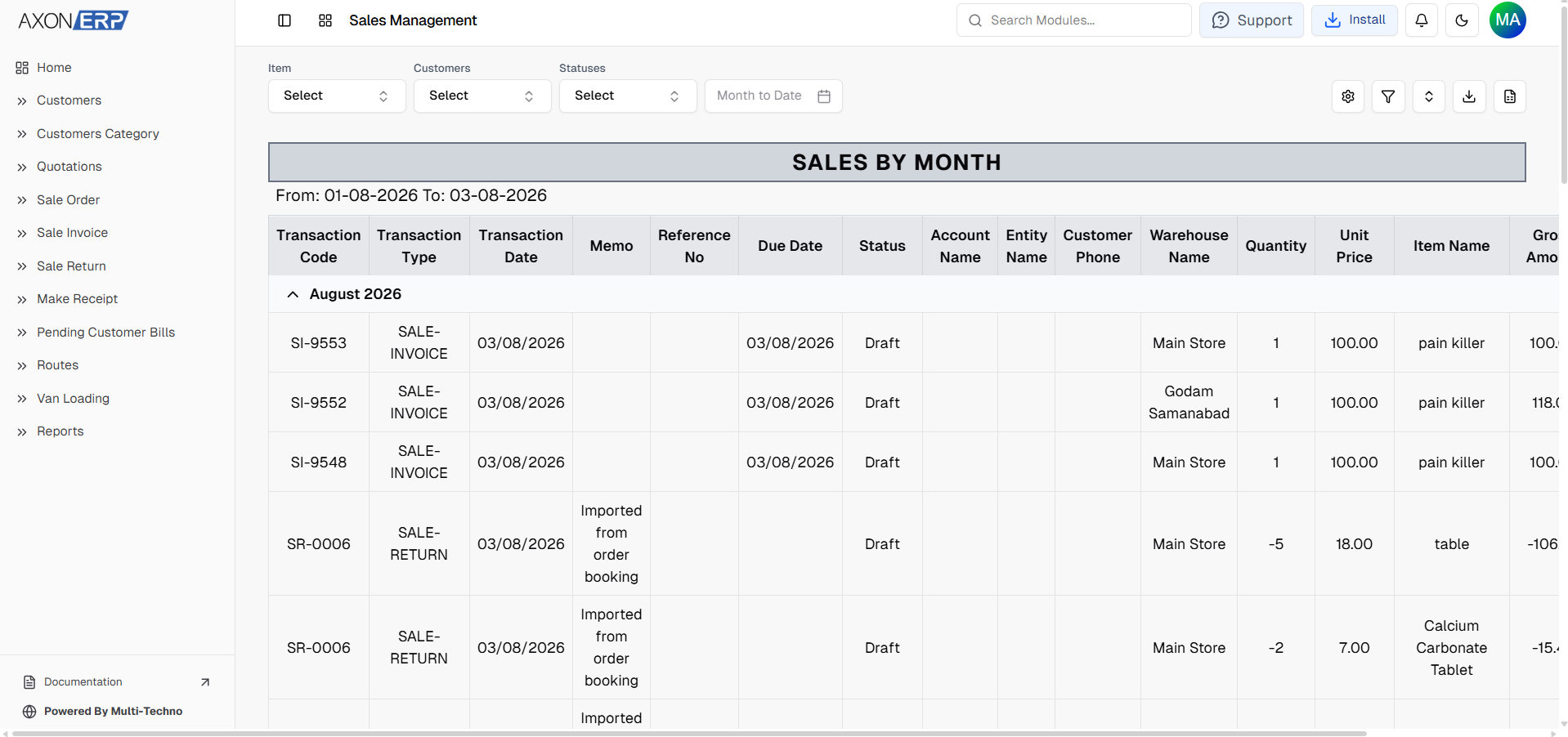
Axon ERP also provides reporting tools that help businesses monitor completed Sales Returns.
Return transactions become available through existing sales reports, allowing users to review return activity using invoice references and transaction types.
Businesses can analyze returns through reports such as:
- Sales by Customer
- Sales by Month
- Sales by Item
Because every approved Sales Return remains connected with the original Sales Invoice, businesses can review return history while maintaining complete visibility into customer transactions.
Why Sales Return Management Matters
Managing customer returns involves much more than reversing a sale.
An effective Sales Return Management Software helps businesses:
- Maintain accurate inventory levels.
- Record complete and partial product returns.
- Reduce manual inventory adjustments.
- Generate accurate accounting entries.
- Simplify customer refund processing.
- Improve inventory accuracy.
- Maintain reliable financial records.
- Reduce administrative workload.
- Improve audit readiness.
Because every Sales Return remains connected with inventory, accounting, and refund transactions, businesses always work with accurate operational and financial data.
Final Thoughts
As businesses grow, manually managing customer returns becomes increasingly difficult. Recording returned products, updating inventory, adjusting financial records, and processing customer refunds through separate systems creates unnecessary work and increases the risk of errors.
Axon ERP simplifies the entire return lifecycle through centralized Sales Return Management Software that connects Sales Invoices, Sales Returns, inventory updates, accounting entries, and customer refunds within a single workflow.
Whether businesses create returns directly from approved Sales Invoices or enter them manually, every transaction remains connected, traceable, and automatically reflected across the ERP system after approval. With support for partial returns, automated inventory updates, accounting integration, and streamlined refund processing, Axon ERP helps businesses maintain accurate inventory, reliable financial records, and efficient customer return management.
Businesses looking to simplify product returns, improve inventory accuracy, and manage customer refunds more efficiently can use Axon ERP to centralize the entire sales return process while strengthening operational and financial control.